
- Why LMS Implementation Strategies Matter
- Common LMS Implementation Mistakes to Avoid
- 8 LMS Implementation Strategies for Your Business
- Strategy 1: Define Clear Objectives and Success Metrics
- Strategy 2: Assemble a Cross-Functional Implementation Team
- Strategy 3: Create a Detailed LMS Rollout Plan
- Strategy 4: Prioritize System Integration
- Strategy 5: Develop a Content Migration Strategy
- Strategy 6: Drive User Adoption from Day One
- Strategy 7: Plan for Data Security and Compliance
- Strategy 8: Measure ROI and Continuous Improvement
- Moving Forward with Your LMS Implementation
- Ready to Discuss Your LMS Implementation Strategy?
- Frequently Asked Questions About LMS Implementation Strategies
LMS Implementation Strategies: A Complete Guide for IT Leaders

 Last Updated: March, 31 2026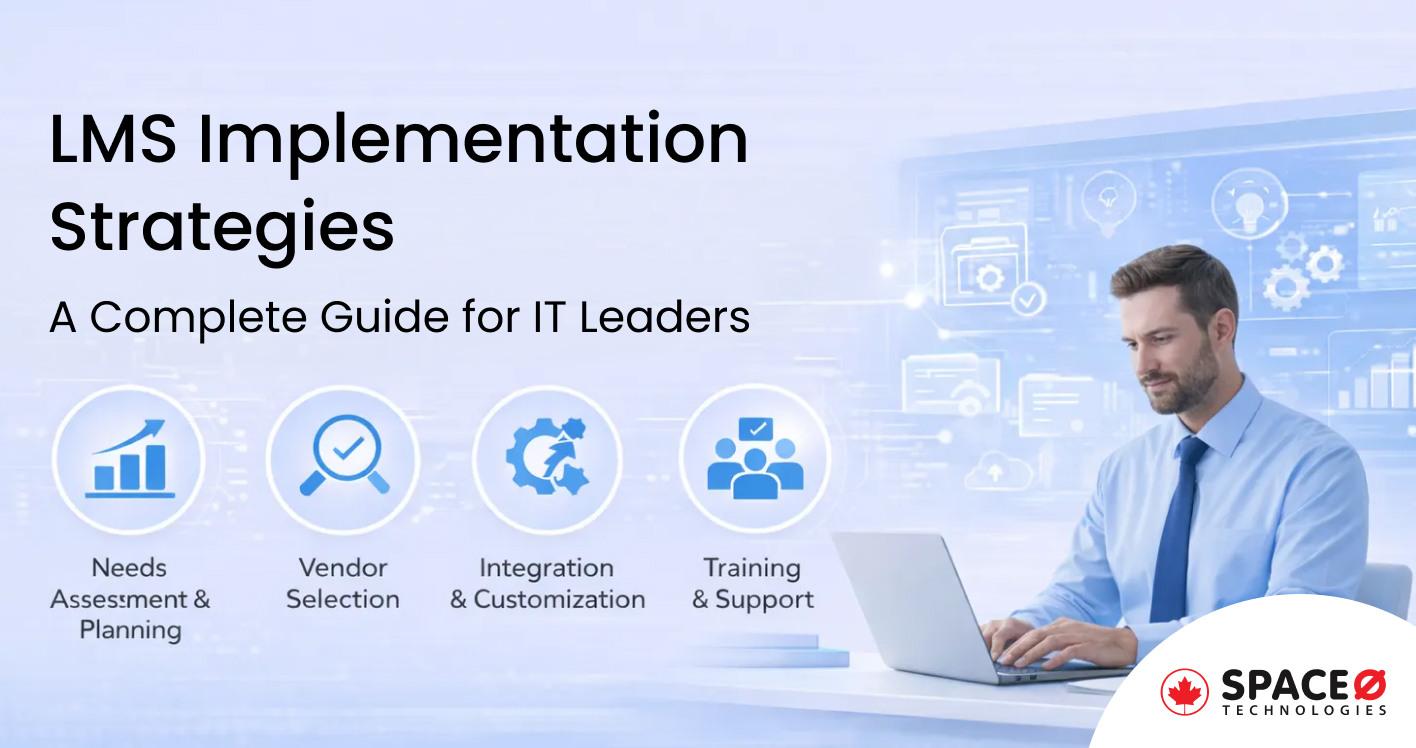
Implementing a learning management system is one of the most strategic technology decisions CTOs and IT leaders face today. Get it wrong, and you risk wasted budgets, poor adoption rates, and frustrated employees. Get it right, and you unlock a scalable platform that transforms how your organization trains, develops, and retains talent.
LMS implementation strategies that prioritize planning, integration, and user adoption from day one.
The complexity of modern enterprise environments means that LMS implementation extends far beyond software installation. It requires careful orchestration of technology, people, and processes. Organizations that treat implementation as a purely technical exercise consistently underperform compared to those that approach it as a strategic business transformation.
This guide breaks down the essential strategies for successful learning management system implementation, covering everything from initial planning to ROI measurement. Whether you are deploying your first LMS or migrating to a new platform, these proven approaches will help you avoid common pitfalls and achieve measurable results.At Space-O Canada, we have helped organizations across North America implement custom learning solutions through our enterprise software development services. The strategies in this guide reflect lessons learned from real-world implementations across healthcare, finance, manufacturing, and professional services sectors.
Why LMS Implementation Strategies Matter
A learning management system is more than software. It is the backbone of your organization’s training infrastructure, affecting everything from new hire onboarding to compliance management to leadership development. Poor implementation leads to:
- Low adoption rates where employees avoid the platform altogether, reverting to inefficient manual processes or simply skipping training entirely. This creates a cascade of problems including compliance gaps, inconsistent skill development, and wasted licensing costs.
- Wasted investment in licenses and features that go unused. Organizations frequently purchase enterprise-tier platforms with sophisticated features, only to use basic functionality that could have been achieved at a fraction of the cost.
- Data silos when the LMS fails to integrate with existing HR and business systems. Training data becomes disconnected from performance management, creating blind spots in talent development and making it impossible to correlate learning with business outcomes.
- Compliance gaps when training tracking falls short of regulatory requirements. For Canadian organizations, this can mean PIPEDA violations, failed audits, or inability to demonstrate required certifications to regulatory bodies.
- Employee frustration when the learning experience is poor, leading to negative associations with professional development that undermine broader talent strategies.
The stakes are significant. According to Brandon Hall Group research, organizations with mature learning management systems report 218% higher revenue per employee than those without formalized training.
Yet achieving these results requires more than purchasing software and hoping for the best.
Effective LMS implementation strategies address these challenges before they become problems.
The goal is to deploy a system that employees actually use, that integrates seamlessly with your technology stack, and that delivers measurable business outcomes aligned with organizational strategy.
For organizations with unique training requirements, understanding how to build an eLearning platform provides the foundation for evaluating whether custom development offers advantages over off-the-shelf solutions.
Common LMS Implementation Mistakes to Avoid
Before diving into strategies, understand the pitfalls that derail most implementations. These mistakes are predictable and preventable, yet they continue to plague organizations that rush through the planning process or underestimate the complexity of enterprise technology deployment.
1. Skipping the Needs Assessment
Many organizations select an LMS based on feature lists, vendor demos, or recommendations from other companies without documenting their actual training requirements. This leads to paying for capabilities you never use while missing features you actually need.
A vendor’s impressive demo showcasing AI-powered recommendations means nothing if your organization’s primary need is simple compliance tracking. Conversely, selecting a basic platform because of budget constraints can create painful limitations when you discover critical workflows are unsupported.
Avoid this by: Conducting thorough stakeholder interviews across departments before evaluating any platform. Document current training workflows, pain points, and wish-list features. Understanding software development best practices applies equally to selecting and implementing commercial software.
2. Underestimating Change Management
Organizations that treat LMS deployment as purely an IT project consistently struggle with adoption. The best-configured system delivers zero value if employees refuse to use it.
Change resistance is natural and expected. People develop comfort with existing processes, even inefficient ones, and view new systems as threats to their established routines and expertise.
Avoid this by: Building a comprehensive change management plan that includes communication, training, and ongoing support. Budget as much time for user enablement as for technical configuration. The benefits of having a mobile app for business illustrate how technology adoption depends heavily on user experience and accessibility.
3. Attempting a Big Bang Launch
Rolling out to all users simultaneously maximizes risk. Issues that could be caught and resolved with 50 pilot users become organizational crises when they affect 5,000 employees on day one.
Big bang launches also create support bottlenecks. Even with extensive preparation, some users will need help. Concentrating all support requests into a single week overwhelms help desks and creates negative first impressions.
Avoid this by: Always run a pilot phase with a representative user group. Select pilot participants who represent different roles, technical comfort levels, and departments. Use their feedback to refine the system, documentation, and support processes before full deployment.
4. Ignoring Mobile Requirements
Modern workforces expect to access learning on any device. An LMS that only works well on desktop limits adoption, especially for field workers, remote employees, and traveling staff who may have limited access to desktop computers.
Mobile learning is not just about convenience. It fundamentally changes when and how employees engage with training. A commute becomes learning time. A break between meetings becomes an opportunity for a microlearning module.
Avoid this by: Prioritizing responsive design and mobile app functionality during platform selection and testing. Organizations investing in custom development should consider React Native app development to create native mobile experiences that perform well across iOS and Android devices.
5. Neglecting Integration Planning
An LMS that operates in isolation creates more problems than it solves. Manual data entry between systems, inconsistent user records, and disconnected reporting undermine the efficiency gains that justify LMS investment.
Integration challenges often surface late in implementation when the technical complexity becomes apparent. By then, timelines are compressed, budgets are strained, and workarounds become permanent compromises.
Avoid this by: Documenting integration requirements during the planning phase. Identify all systems that need to exchange data with the LMS and define specific integration points. Our guide on how to outsource software development covers strategies for managing complex integration projects.
6. Treating Implementation as a One-Time Project
The launch is just the beginning. Without ongoing optimization, content becomes stale, engagement drops, and the LMS becomes another unused system gathering virtual dust.
Organizations frequently allocate significant resources for implementation, then expect the system to run on autopilot. This approach guarantees declining performance over time.
Avoid this by: Establishing a dedicated LMS administrator role from the start. Allocate budget for continuous improvement post-launch, including content updates, feature enhancements, and user support. Understanding software maintenance costs helps organizations plan realistic ongoing budgets.
8 LMS Implementation Strategies for Your Business
Strategy 1: Define Clear Objectives and Success Metrics
Every successful enterprise LMS implementation starts with clear goals. Before evaluating vendors or configuring features, answer fundamental questions about what you are trying to achieve and how you will know when you have succeeded.
Vague objectives like “improve training” or “modernize learning” provide no actionable guidance. They cannot inform platform selection, feature prioritization, or success measurement. Clear objectives, by contrast, drive every subsequent decision.
Start by connecting LMS implementation to broader business goals:
What specific training challenges are you solving? Document current pain points with specificity. “Compliance training is inefficient” becomes “manual tracking of 47 different certifications across 500 employees requires 20 hours per week of administrative time and still results in missed renewals.”
How will the LMS support business growth or compliance? Link training capabilities to business strategy. If the organization plans to expand into new markets, how will the LMS support rapid onboarding of new teams? If regulatory requirements are increasing, how will the system ensure audit readiness?
What outcomes will define success in 12 months? Establish concrete targets that stakeholders agree represent implementation success. These become the benchmarks against which you measure ROI.
Measurable KPIs
Define specific metrics that track progress toward objectives:
| KPI | Target | Measurement Method |
|---|---|---|
| Course completion rates | 80%+ for mandatory training | LMS reporting dashboard |
| Time to competency for new hires | 30% reduction | Comparison of onboarding timelines |
| Training cost per employee | 25% reduction | Finance analysis of training budget |
| Compliance certification rates | 95%+ current at all times | Automated compliance tracking |
| Employee satisfaction with learning | 4.0+ out of 5.0 | Quarterly pulse surveys |
| Support ticket volume | 20% reduction | Help desk ticket analysis |
SMART Framework
Apply the SMART framework to ensure goals are actionable:
- Specific: Clearly defined outcomes rather than general improvements
- Measurable: Quantifiable metrics that can be tracked objectively
- Achievable: Realistic given resources, timeline, and organizational context
- Relevant: Connected to meaningful business outcomes
- Time-bound: Defined timeframes for achieving targets
This clarity guides every subsequent decision, from platform selection to feature prioritization to resource allocation. When stakeholders disagree about implementation direction, return to documented objectives as the arbiter.For organizations uncertain about requirements, understanding what is MVP in software development provides a framework for identifying essential versus nice-to-have functionality.
Strategy 2: Assemble a Cross-Functional Implementation Team
LMS implementation is not solely an IT project. It requires collaboration across departments to succeed because the system touches every part of the organization. A purely technical team misses critical requirements; a purely business team cannot navigate technical complexities.
Build a team that includes representatives from all stakeholder groups:
| Role | Responsibility | Why This Role Matters |
|---|---|---|
| Executive Sponsor | Secure budget, remove organizational barriers, champion the initiative | Provides authority to resolve conflicts and maintain organizational commitment |
| Project Manager | Coordinate timelines, track milestones, manage risks | Keeps implementation on track and surfaces issues before they become crises |
| IT Lead | Handle technical integration, security, infrastructure | Ensures system meets technical standards and integrates with existing architecture |
| L&D Specialist | Define content strategy, learning paths, instructional design | Ensures the LMS supports effective learning rather than just content delivery |
| HR Representative | Align with onboarding, performance management, compliance requirements | Connects learning to broader talent management processes |
| Department Champions | Drive adoption within business units, provide user perspective | Bridge between implementation team and end users |
| Security/Compliance Lead | Validate data protection, regulatory compliance | Ensures system meets legal and regulatory obligations |
Team Structure Considerations
- Executive sponsorship is non-negotiable. Without senior leadership actively championing the initiative, LMS implementation becomes another IT project competing for attention. The executive sponsor must be visible, engaged, and willing to intervene when organizational barriers arise.
- Department champions are your adoption force multipliers. Select individuals who are respected within their teams, comfortable with technology, and genuinely enthusiastic about the initiative. Their peer influence drives adoption more effectively than top-down mandates.
- Consider a RACI matrix to clarify decision rights. For each major decision, identify who is Responsible (doing the work), Accountable (approving the work), Consulted (providing input), and Informed (kept updated). This prevents confusion and accelerates decision-making.
For organizations without internal development resources, partnering with a dedicated software development team can provide technical expertise while internal team members focus on business requirements and change management.
This cross-functional approach ensures the LMS meets both technical requirements and actual user needs while maintaining organizational alignment throughout implementation.
Strategy 3: Create a Detailed LMS Rollout Plan
A structured LMS rollout plan prevents scope creep, maintains stakeholder alignment, and keeps implementation on track. Break the project into phases with clear deliverables, dependencies, and success criteria for each phase.
Phase 1: Discovery and Planning (4-6 weeks)
Objectives: Establish foundation for successful implementation through thorough requirements gathering and planning.
Key Activities: – Document current training processes, systems, and pain points – Conduct stakeholder interviews across all affected departments – Gather detailed requirements including must-have versus nice-to-have features – Evaluate build versus buy decision with total cost of ownership analysis – Define integration requirements and technical constraints – Establish governance model for ongoing LMS management – Develop communication plan for organizational awareness
Deliverables: – Requirements document with prioritized features – Technical architecture and integration plan – Project charter with scope, timeline, and budget – Stakeholder communication plan – Risk register with mitigation strategies
Understanding the software development process helps teams structure planning activities effectively.
Phase 2: Configuration and Customization (4-8 weeks)
Objectives: Transform the LMS from out-of-box configuration to organization-specific solution.
Key Activities: – Set up user roles, permissions, and organizational hierarchy – Configure branding, user interface, and navigation – Build or migrate initial course content and learning paths – Implement integrations with HRIS, SSO, and other platforms – Configure reporting and analytics dashboards – Develop administrator training materials – Create end-user documentation and quick-start guides
Deliverables: – Fully configured LMS environment – Initial content library with core courses – Working integrations with critical systems – Administrator and user documentation – Test plans for pilot phase
Phase 3: Pilot Launch (2-4 weeks)
Objectives: Validate the system with real users before full deployment, identify and resolve issues in a controlled environment.
Key Activities: – Deploy to a test group of 50-100 representative users – Gather structured feedback on usability and functionality – Monitor system performance under actual usage – Identify and resolve technical issues – Refine training materials and support documentation – Validate integration data flows – Assess change management effectiveness
Deliverables: – Pilot feedback report with prioritized improvements – Updated system configuration based on feedback – Refined user documentation and training materials – Go/no-go decision criteria for full deployment – Support escalation procedures
Phase 4: Full Deployment (2-4 weeks)
Objectives: Roll out to all users while maintaining system stability and user support.
Key Activities: – Deploy by department, location, or user group in waves – Conduct training sessions for administrators and end users – Activate support channels (help desk, FAQs, peer support) – Monitor performance metrics and address issues promptly – Execute communication plan for each deployment wave – Track adoption metrics daily during initial rollout
Deliverables: – All users provisioned and trained – Support processes operational – Initial adoption metrics baseline – Issue log with resolution status – Post-deployment lessons learned
Phase 5: Optimization (Ongoing)
Objectives: Continuously improve the LMS based on usage data, feedback, and evolving business needs.
Key Activities: – Analyze usage data and identify engagement patterns – Gather ongoing user feedback through surveys and focus groups – Iterate on features and content based on insights – Expand functionality based on business needs – Conduct quarterly LMS health assessments – Plan and execute major updates and enhancements
Deliverables: – Monthly performance reports – Quarterly improvement roadmap – Annual strategic review and planning
Timeline Best Practices
- Build buffer time into your timeline. Data migration, integration testing, and unexpected technical challenges consistently take longer than anticipated. A realistic timeline includes 20-30% contingency.
- Avoid major deployments during business-critical periods. Year-end close, audit seasons, and product launches compete for attention and reduce adoption focus.
- Consider organizational capacity for change. If other major initiatives are underway, LMS implementation may need adjusted timing to avoid change fatigue.For detailed timeline planning, our guide on software development timelines provides frameworks applicable to LMS implementation projects.
Strategy 4: Prioritize System Integration
An LMS that operates in isolation creates more problems than it solves. Data must flow between systems automatically to eliminate manual processes, ensure data consistency, and enable comprehensive reporting. Prioritize integration with your existing technology ecosystem from the planning phase.
Essential Integrations
- HRIS/HCM Systems (Workday, SAP SuccessFactors, ADP, BambooHR) – Sync employee data to automate user provisioning and deprovisioning – Pull organizational hierarchy for reporting and learning path assignment – Automate onboarding enrollment based on hire date and role – Connect learning completion to performance management
- Single Sign-On (SSO) – Reduce login friction with SAML or OAuth integration – Eliminate separate credentials that users forget – Enable seamless access from enterprise portals – Improve security through centralized authentication
- Video Conferencing (Zoom, Microsoft Teams, Webex) – Enable live virtual instructor-led training (VILT) – Schedule and launch sessions directly from the LMS – Track attendance and completion automatically – Record sessions for on-demand viewing
- Content Authoring Tools – Support SCORM 1.2 and SCORM 2004 for course packaging – Enable xAPI (Tin Can API) for advanced learning analytics – Implement LTI (Learning Tools Interoperability) for third-party content – Connect to content libraries like LinkedIn Learning or Coursera
- Analytics and Business Intelligence Platforms – Export learning data to organizational BI tools (Tableau, Power BI) – Correlate training with business outcomes – Create executive dashboards for training ROI visibility – Enable custom reporting beyond LMS native capabilities
Technical Standards to Support
Understanding these standards helps evaluate LMS capabilities and plan content strategy:
| Standard | Purpose | When It Matters |
|---|---|---|
| SCORM 1.2 | Course packaging and completion tracking | Most existing e-learning content uses this format |
| SCORM 2004 | Enhanced sequencing and navigation | Complex courses with branching logic |
| xAPI (Tin Can API) | Detailed learning activity tracking | Mobile learning, simulations, informal learning |
| LTI | Third-party tool integration | External content libraries, virtual labs |
| cmi5 | Modern SCORM alternative | New development with enhanced tracking |
Integration Implementation Approach
Organizations following agile software development practices can implement integrations iteratively:
- Phase 1: SSO and basic HRIS sync (user provisioning)
- Phase 2: Full HRIS integration (organizational data, automation)
- Phase 3: Content platform integrations
- Phase 4: Video conferencing and collaboration tools
- Phase 5: Advanced analytics and BI connections
This phased approach delivers value quickly while managing technical complexity. Each integration can be tested and stabilized before adding the next.
Integration Challenges to Anticipate
- Data mapping complexity: Field names and data structures differ between systems. Plan for transformation logic that maps LMS fields to HRIS fields correctly.
- Authentication edge cases: SSO works until it doesn’t. Plan for scenarios like expired tokens, network timeouts, and users outside the corporate network.
- API rate limits: Many systems limit API calls. High-volume data synchronization may require batching or scheduling during off-peak hours.
- Vendor cooperation: Some integrations require vendor involvement on both sides. Build vendor coordination into project timelines.Poor integration planning is consistently among the top reasons LMS implementations fail. Address this early in your strategy, and consider working with experienced software development consultants who have navigated complex integration scenarios.
Strategy 5: Develop a Content Migration Strategy
Moving existing training content to a new LMS requires careful planning. A rushed migration leads to broken links, formatting issues, lost materials, and user frustration. Content is the core value of your LMS; protect it accordingly.
Content Audit
Before migrating anything, understand what you have:
- Inventory all existing content: – Courses in current LMS or file shares – Documents (PDFs, Word files, presentations) – Videos hosted on various platforms – Assessment materials and question banks – Certificates and credential templates – External content subscriptions
- Evaluate content quality and relevance: – When was each item last updated? – Is the content still accurate and relevant? – What are completion rates and user ratings? – Does the content meet accessibility standards? – Is the content still aligned with business needs?
Categorize content by format:
| Format | Migration Complexity | Considerations |
|---|---|---|
| SCORM courses | Medium | Test in new environment; may need republishing |
| Videos | Low-Medium | Check hosting compatibility; may need re-uploading |
| PDFs | Low | Direct migration; verify rendering |
| Assessments | High | Question formatting may differ; manual review needed |
| Interactive content | High | May require rebuilding in new authoring tools |
Migration Best Practices
- Convert legacy formats where beneficial. Migration is an opportunity to modernize. PowerPoint-based courses can become interactive modules. Text-heavy content can incorporate video.
- Test content functionality thoroughly. Every piece of migrated content should be tested in the new environment before going live. Check navigation, completion tracking, assessments, and media playback.
- Preserve completion records and certification history. Users should not lose credit for training they have already completed. Plan data migration that maintains historical records.
- Create redirect plan for bookmarked resources. Users have bookmarks and links to existing content. Plan URL redirects or communication about new locations to prevent broken links.
- Map content to new LMS structure. Use migration as an opportunity to reorganize content logically. Create clear categories, learning paths, and navigation that help users find relevant training.
Content Gap Analysis
Migration is also an opportunity for content strategy:
- Identify training topics not currently covered. Interview stakeholders about training needs that existing content does not address. Prioritize gaps based on business impact.
- Plan for new content development post-launch. Budget resources for creating new content once the platform is stable. Rushing content development during implementation compromises quality.
- Establish content governance and update schedules. Define who owns each content area, review cycles, and retirement criteria. Content without governance becomes outdated quickly.
Migration Timeline Considerations
Budget significant time for content work. Organizations consistently underestimate content migration effort:
| Activity | Estimated Time |
|---|---|
| Content inventory and audit | 2-4 weeks |
| Quality assessment and retirement decisions | 1-2 weeks |
| Technical migration and testing | 2-4 weeks |
| Content reorganization and metadata | 1-2 weeks |
| User acceptance testing | 1-2 weeks |
Migration is an opportunity to retire outdated materials and improve content quality. Resist the temptation to migrate everything simply because it exists. Quality over quantity creates a better user experience.
Strategy 6: Drive User Adoption from Day One
Technology implementation is only half the battle. Without user adoption, even the best LMS fails to deliver value. Research from Prosci indicates that projects with excellent change management are six times more likely to meet objectives than those with poor change management.
Adoption is not a launch-day event. It is an ongoing effort that begins before implementation and continues indefinitely.
The ADKAR Change Management Framework
The ADKAR model provides a structured approach to individual change that aggregates to organizational adoption:
| Stage | Description | LMS Implementation Actions |
|---|---|---|
| Awareness | Understanding why change is needed | Communicate training challenges the LMS solves; share industry trends; explain business drivers |
| Desire | Motivation to support the change | Show employees how the LMS benefits them personally; involve users in design decisions; address “what’s in it for me” |
| Knowledge | Understanding how to change | Provide comprehensive training on using the system; create job aids and quick-reference guides |
| Ability | Capability to implement new skills | Offer practice time and support during transition; provide sandbox environments; celebrate early wins |
| Reinforcement | Sustaining the change | Recognize achievements; address ongoing barriers; continuously improve based on feedback |
Comprehensive Adoption Strategies
- Executive Communication – Have senior leadership communicate LMS importance through town halls, emails, and team meetings – Share the “why” before the “what”—connect LMS implementation to organizational strategy – Leaders should visibly use the system themselves
- Training for Trainers – Ensure administrators and managers are confident users before general rollout – Provide advanced training for department champions who will support peers – Create a network of super users who can provide informal support
- Gamification and Engagement – Use points, badges, and leaderboards to encourage engagement where appropriate – Celebrate milestones publicly (first course completed, certification achieved) – Create friendly competition between teams for adoption metrics
- Mobile Access – Enable learning on personal devices for flexibility – Optimize critical content for mobile consumption – Provide offline access for users with limited connectivity
- Quick Wins – Launch with high-value courses that solve real problems employees face today – Start with content that generates positive word-of-mouth – Avoid mandating bureaucratic compliance training as the first user experience
For organizations building custom solutions, understanding mobile app development best practices ensures the mobile experience supports rather than hinders adoption.
Address Resistance Proactively
Resistance typically falls into predictable categories with proven responses:
- Technical resistance: “The system is too complicated” – Simplify the user interface where possible – Provide quick-start guides focused on essential tasks – Offer multiple support channels (help desk, chat, peer support) – Create video tutorials for common workflows
- Time resistance: “I don’t have time for training” – Provide microlearning options (5-10 minute modules) – Integrate learning into workflow where possible – Get manager buy-in for protected learning time – Show how the LMS saves time compared to alternatives
- Value resistance: “This training is not relevant to my job” – Personalize learning paths based on role and career goals – Involve department leads in content selection and curation – Show connection between learning and career advancement – Gather feedback and adjust content based on user input
- Comfort resistance: “The old way worked fine” – Acknowledge the validity of established expertise – Position new system as enhancement, not replacement of knowledge – Involve resistant individuals as advisors and testers – Share success stories from respected peers who have adopted
Sustain Momentum Post-Launch
Initial adoption is easier than sustained engagement. Plan for ongoing attention:
- Regular communication: Send reminders about new courses, deadlines, and feature updates
- Public recognition: Celebrate completion achievements in team meetings and newsletters
- Success stories: Share examples of how training helped employees succeed
- Continuous improvement: Act visibly on user feedback to demonstrate responsiveness
- Quarterly health checks: Monitor engagement trends and intervene when metrics decline
- Manager involvement: Equip managers to discuss learning in one-on-ones and performance reviews
Budget for at least 6 months of intensive adoption support following launch. The effort invested in adoption determines whether LMS implementation delivers lasting value or becomes another failed technology initiative.
Strategy 7: Plan for Data Security and Compliance
Learning management systems handle sensitive data including employee records, performance information, assessment results, and potentially regulated training content. Security and compliance cannot be afterthoughts—they must be designed into the implementation from the start.
Security Requirements
- Data Protection: – Encryption at rest and in transit (TLS 1.2+ minimum) – Secure credential storage with proper hashing – Regular security assessments and penetration testing – Vulnerability management and patching procedures
- Access Control: – Role-based access controls (RBAC) limiting data visibility – Principle of least privilege for administrative access – Multi-factor authentication for administrators – Session management and automatic timeout
- Audit and Monitoring: – Comprehensive audit logging for compliance reporting – Monitoring for suspicious access patterns – Incident response procedures – Data retention and deletion policies
Canadian Compliance Considerations
For organizations operating in Canada, LMS implementation must address specific regulatory requirements:
- PIPEDA (Personal Information Protection and Electronic Documents Act): – Consent for collection and use of personal information – Limitation of collection to necessary data – Accuracy and retention requirements – Security safeguards appropriate to sensitivity – Individual access rights to personal information
- Provincial Requirements: – Quebec’s private sector privacy law with additional requirements – Healthcare-specific regulations (PHIPA in Ontario, HIA in Alberta) – Financial services training documentation requirements
- Bilingual Support: – French language support for Quebec operations – Federal government contracts may require bilingual capability – Consider accessibility requirements under AODA (Ontario)
- Data Residency: – Some sectors require data to remain within Canada – Cloud hosting selection must consider data location – Understand where vendor processes and stores data.
Understanding the software development life cycle helps IT leaders ensure security is built into the implementation process rather than bolted on afterward.
Compliance Documentation
Prepare documentation that demonstrates compliance:
- Data flow diagrams showing how information moves through systems
- Privacy impact assessments for sensitive data handling
- Security controls documentation for audit purposes
- Incident response and breach notification procedures
- Vendor security assessments and contracts
Work with legal and compliance teams early to identify specific requirements for your industry and jurisdiction. Retrofitting compliance after implementation is costly and risky.For organizations in regulated industries, our guide on healthcare software development illustrates how compliance requirements shape technology decisions.
Strategy 8: Measure ROI and Continuous Improvement
LMS implementation is an investment that should deliver measurable returns. Without a framework for ongoing measurement, you cannot demonstrate value, justify continued investment, or identify opportunities for improvement.
ROI Metrics to Track
| Metric | How to Measure | Target | Business Impact |
|---|---|---|---|
| Training Cost Reduction | Compare per-employee training costs before and after | 20-40% reduction | Direct cost savings |
| Time to Competency | Track days from hire to role proficiency | 15-30% improvement | Faster productivity |
| Compliance Rate | Percentage of employees with current certifications | 95%+ | Risk mitigation |
| Content Utilization | Courses accessed vs. available | 70%+ usage | Investment efficiency |
| Support Ticket Reduction | Training-related IT/HR support requests | 25% decrease | Operational efficiency |
| Employee Satisfaction | Learning experience survey scores | 4.0+ out of 5.0 | Engagement and retention |
| Manager Satisfaction | Training effectiveness ratings | 4.0+ out of 5.0 | Business alignment |
Calculating ROI
ROI Formula:
ROI = (Benefits – Costs) / Costs × 100
- Benefits to Quantify: – Reduced instructor-led training expenses (venue, travel, materials, instructor time) – Lower travel costs for distributed teams attending training – Decreased time to productivity for new hires – Avoided compliance penalties and audit findings – Reduced employee turnover from better development opportunities – Decreased support costs from self-service training resources
- Costs to Include: – LMS licensing or development costs – Implementation and integration services – Content creation and migration – Internal staff time for implementation – Ongoing administration and maintenance – Training and change management activities
Sample ROI Calculation
Consider a mid-sized organization with 500 employees:
| Cost Category | Before LMS | After LMS | Annual Savings |
|---|---|---|---|
| Instructor-led training (travel, venues, materials) | $150,000 | $45,000 | $105,000 |
| New hire onboarding time (productivity loss) | $200,000 | $140,000 | $60,000 |
| Compliance training administration | $25,000 | $8,000 | $17,000 |
| Employee turnover (training-related) | $75,000 | $50,000 | $25,000 |
| Total Annual Benefits | $207,000 |
With a custom LMS development cost of $120,000 and annual maintenance of $15,000:
- Year 1 ROI: ($207,000 – $135,000) / $135,000 = 53%
- Year 2+ ROI: ($207,000 – $15,000) / $15,000 = 1,280%
- Payback period: Approximately 8 months
Hidden ROI Factors
Beyond direct cost savings, consider these often-overlooked benefits:
- Reduced support tickets: Employees who can self-serve training content generate fewer IT and HR requests. Track ticket volume related to training questions.
- Knowledge retention: Searchable training libraries prevent knowledge loss when employees leave. Institutional knowledge becomes a persistent organizational asset.
- Faster product launches: Teams trained on new offerings before release accelerate time to market. Quantify revenue from earlier market entry.
- Audit readiness: Automated compliance tracking eliminates manual reporting effort and reduces audit preparation scramble.
- Employer brand: Organizations known for investing in employee development attract better candidates and retain top performers.
For detailed cost analysis frameworks, our guide on software development costs provides methodologies applicable to LMS investment decisions.
Continuous Improvement Framework
ROI measurement is not a one-time exercise. Establish ongoing improvement processes:Monthly: Review usage metrics, completion rates, support tickets Quarterly: Analyze trends, gather user feedback, prioritize improvements Annually: Comprehensive ROI calculation, strategic planning, major enhancements
Moving Forward with Your LMS Implementation
Successful learning management system implementation requires more than selecting the right platform. It demands strategic planning, cross-functional collaboration, and sustained attention to user adoption and continuous improvement.
The strategies outlined in this guide provide a framework for CTOs and IT leaders to approach LMS implementation systematically:
- Define clear objectives that connect to business outcomes and can be measured
- Assemble the right team with cross-functional representation and executive sponsorship
- Plan your rollout in phases that manage risk and allow for learning
- Prioritize integration to eliminate silos and enable automation
- Migrate content carefully while improving quality and organization
- Drive adoption through change management, not just technical deployment
- Ensure security and compliance from the foundation, not as an afterthought
- Measure results continuously and improve based on data
Whether you are implementing your first LMS or upgrading an existing system, the fundamentals remain the same: focus on solving real business problems, engage users throughout the process, and iterate based on data and feedback.
The investment in proper implementation pays dividends for years. Organizations that rush through deployment consistently regret it; those that invest in doing it right build sustainable competitive advantages in talent development and organizational capability.
Ready to Discuss Your LMS Implementation Strategy?
At Space-O Canada, we help organizations across North America build and implement learning management solutions that drive real business results. Our team brings expertise in enterprise software development, web application development, and complex system integration.
What We Offer
- Strategic consultation to evaluate build vs. buy decisions and define requirements
- Custom LMS development tailored to your unique workflows and compliance needs
- Integration services connecting your LMS with HRIS, SSO, and business systems
- Migration support for moving from legacy systems with data integrity
- Ongoing partnership for maintenance, enhancement, and optimization
to explore how we can support your LMS implementation strategy.
Frequently Asked Questions About LMS Implementation Strategies
How long does LMS implementation typically take?
Implementation timelines vary based on complexity and approach. A basic off-the-shelf deployment with minimal customization takes 2-3 months. Standard implementations with integrations and content migration typically require 4-6 months. Enterprise implementations with extensive integrations, custom development, and large-scale rollout can require 6-12 months. Plan for the pilot phase to take longer than expected, as this is where most issues surface. Understanding realistic software development timelines helps set appropriate expectations.
What is the biggest cause of LMS implementation failure?
Poor user adoption is the primary cause of failure. Organizations focus on technical deployment while neglecting change management, training, and ongoing engagement. A technically perfect system that employees avoid using delivers no value. The second most common cause is inadequate integration planning, resulting in data silos and manual processes that undermine efficiency gains. Both issues are preventable with proper planning and sustained attention.
How much does LMS implementation cost?
Costs depend on approach and scale. Off-the-shelf solutions range from $5-$15 per user per month for cloud platforms, plus implementation services typically ranging from $10,000-$50,000. Custom LMS development starts around $50,000 for basic systems and can exceed $250,000 for enterprise-grade platforms with advanced features. Factor in content development, integration, training, and change management costs beyond the platform itself. Our guide on software development costs provides detailed cost breakdown frameworks.
Should we build a custom LMS or buy an existing platform?
Consider custom development if you have unique training workflows not supported by commercial platforms, need deep integration with proprietary systems, have a large user base (2,000+ users) where per-user licensing becomes expensive, require features not available in commercial platforms, or face strict regulatory requirements demanding precise compliance controls. Off-the-shelf solutions work well for standard training needs with faster deployment requirements and limited technical resources for ongoing maintenance. Many organizations start with off-the-shelf and migrate to custom as they scale.
How do we measure LMS success?
Track completion rates for mandatory and optional training, time to competency for new hires, compliance certification rates, user satisfaction scores, and training cost per employee. Compare these metrics before and after implementation. The most meaningful measure is business impact—whether employees can perform their jobs more effectively after training. Establish baseline measurements before implementation so you can demonstrate improvement. Qualitative feedback from managers about team capability also provides valuable insight beyond quantitative metrics.
What team structure do we need for LMS administration?
Administration structure depends on organization size and LMS complexity. Small organizations (under 500 users) typically need one part-time LMS administrator focusing on content updates and user support. Mid-sized organizations (500-2,000 users) require a dedicated administrator plus content developers. Enterprise deployments (2,000+ users) often need a team including system administrators, content managers, data analysts, instructional designers, and user support specialists. Budget for approximately one full-time administrator per 1,000-1,500 active users, with additional resources for content development proportional to your content update frequency.
How do we handle resistance from employees who prefer traditional training?
Address resistance through demonstration, not mandate. Start with voluntary adoption among enthusiastic early adopters and let their positive experiences spread organically through peer influence. Provide hybrid options that combine digital learning with in-person sessions during transition. Show how the LMS saves time and provides flexibility rather than adding burden. Most importantly, ensure the learning content is genuinely valuable rather than simply digitized versions of existing training. If the content quality is poor, resistance is justified—focus on improving the learning experience rather than forcing adoption.
What are the most important integrations for an enterprise LMS?
Priority integrations for most enterprises are: Single Sign-On (SSO) for seamless access without separate credentials, HRIS integration for automated user provisioning and organizational data synchronization, video conferencing tools for virtual instructor-led training, and business intelligence platforms for advanced reporting and correlation with business metrics. For compliance-heavy industries, document management and HR compliance systems are also essential. Start with SSO and HRIS integration to reduce administrative burden, then expand based on actual usage patterns and user feedback. Understanding how to outsource software development can help organizations lacking internal integration expertise.


Struggling to Implement an LMS That Actually Delivers Results?
 All our projects are secured by NDA
100% Secure. Zero Spam
*All your data will remain strictly confidential.
Trusted by


Bashar Anabtawi 
Canada
“I was mostly happy with the high level of experience and professionalism of the various teams that worked on my project. Not only they clearly understood my exact technical requirements but even suggested better ways in doing them. The Communication tools that were used were excellent and easy. And finally and most importantly, the interaction, follow up and support from the top management was great. Space-O not delivered a high quality product but exceeded my expectations! I would definitely hire them again for future jobs!”

Canada Office
2 County Court Blvd., Suite 400,
Brampton, Ontario L6W 3W8
Phone: +1 (602) 737-0187
Email: sales@spaceo.ca