
- What is Manufacturing ERP Software?
- Why Do Manufacturers Need ERP Software?
- 1. Managing complex production schedules and workflows
- 2. Gaining real-time visibility across the shop floor
- 3. Optimizing inventory and reducing material waste
- 4. Ensuring quality compliance with ISO and industry standards
- 5. Streamlining supply chain and procurement operations
- 6. Supporting Industry 4.0 and smart manufacturing
- What is the Process of ERP Manufacturing Software Development: A Step-by-Step Guide
- 1. Discovery and requirements gathering
- 2. System architecture and design
- 3. Module development and customization
- 4. Third-party integrations (CAD, MES, IoT, PLM)
- 5. Testing and quality assurance
- 6. Data migration from legacy systems
- 7. Deployment and go-live
- 8. Training and change management
- 9. Ongoing maintenance and support
- What are the Core Modules of ERP Manufacturing Software?
- 1. Material requirements planning
- 2. Production management and shop floor control
- 3. Bill of materials management
- 4. Inventory and warehouse management
- 5. Supply chain and procurement
- 6. Quality management and compliance
- 7. Manufacturing execution system integration
- 8. Financial management and cost accounting
- 9. Human resources and workforce management
- What are the Key Features of ERP Manufacturing Software?
- What are the Benefits of ERP Manufacturing Software?
- 1. Reduced production downtime through better planning
- 2. Lower inventory carrying costs with optimized stock levels
- 3. Improved product quality and fewer defects
- 4. Faster time-to-market for new products
- 5. Enhanced supply chain collaboration and visibility
- 6. Better regulatory compliance and audit readiness
- How Much Does ERP Manufacturing Software Development Cost?
- Custom Manufacturing ERP vs. Off-the-Shelf Solutions: Which is Right for You?
- Custom Manufacturing ERP Solutions by Space-O Technologies
- Frequently Asked Questions about ERP Manufacturing Software
Manufacturing ERP Software Development: A Complete Guide to Production Systems

 Last Updated: March, 27 2026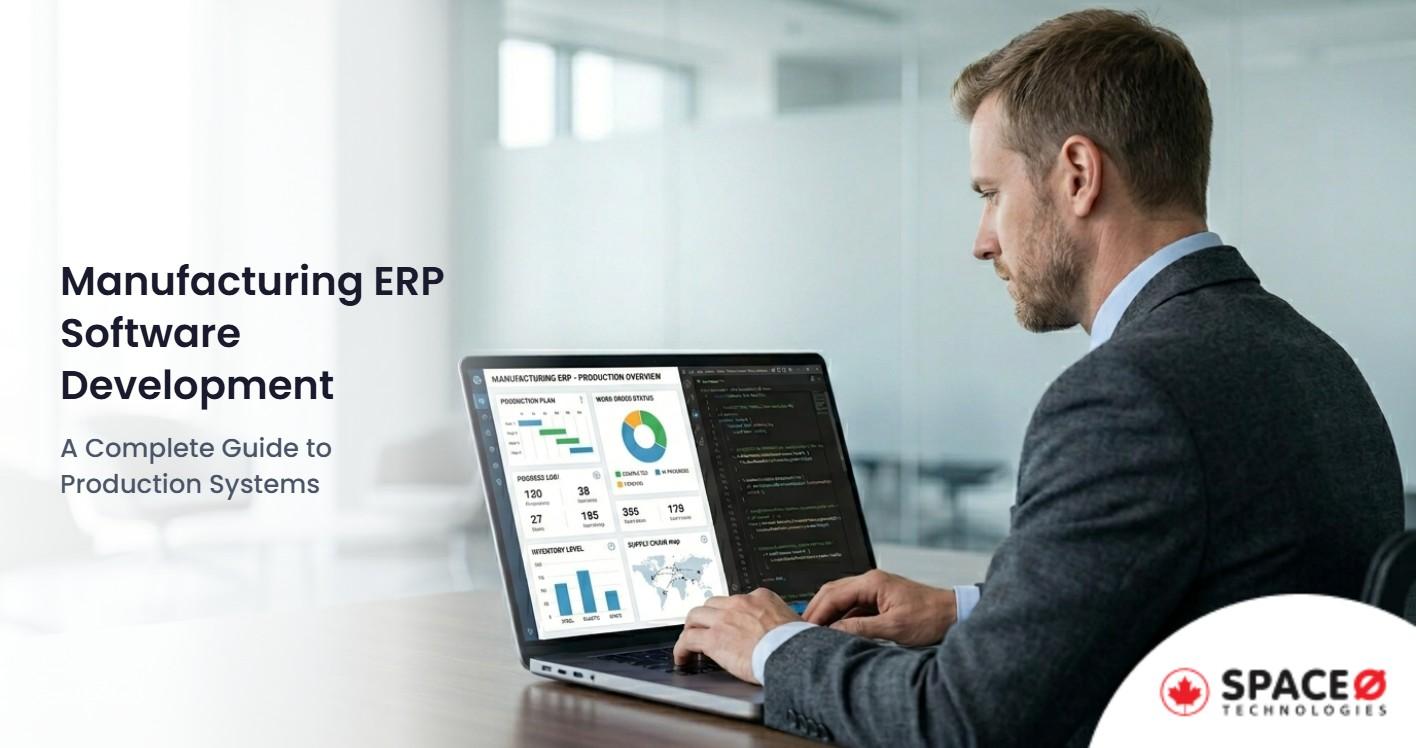
Modern manufacturing is a high-stakes balancing act. Every day, production managers coordinate raw materials from dozens of suppliers, schedule complex workflows across multiple production lines, track quality at every stage, and deliver finished goods on tight deadlines. A single breakdown in this chain, a delayed shipment, a quality defect, or an inaccurate inventory count, can halt production, waste materials, and cost thousands in lost revenue.
This level of operational complexity explains why manufacturers are turning to integrated software systems at an accelerating pace. According to Market Report Analytics, the manufacturing ERP market is valued at $139.52 billion in the base year 2025, and is projected to grow at a robust Compound Annual Growth Rate (CAGR) of 14.5%
Whether you run a discrete manufacturing plant, a process manufacturing facility, or a mixed-mode operation, the right ERP software development services can transform how your business operates. This guide covers everything you need to know about manufacturing ERP software development, from core modules and key features to the development process, costs, and how to choose between custom and off-the-shelf solutions.
What is Manufacturing ERP Software?
With the core challenge established, let’s define what manufacturing ERP software actually is and how it differs from generic enterprise solutions.
Manufacturing ERP software is an enterprise resource planning system designed specifically for manufacturing companies, integrating core business functions — from production planning and shop floor control to supply chain management, quality assurance, and financials — into a single unified platform. Unlike generic ERP systems, manufacturing ERP is built to handle the unique complexities of production scheduling, material requirements planning, bill of materials management, and compliance tracking that manufacturers deal with daily.
What makes manufacturing ERP different from standard enterprise software development solutions? The answer lies in industry-specific requirements.
Manufacturers operate with multi-level bills of materials (BOMs), complex production routings, just-in-time inventory, quality standards such as ISO 9001, and supply chains spanning multiple geographies. A generic ERP cannot address these needs without significant customization.
Understanding what manufacturing ERP is leads to a critical question: why is this specialized software essential for today’s manufacturers?
Why Do Manufacturers Need ERP Software?
The manufacturing industry faces operational challenges that simply cannot be managed with disconnected spreadsheets and standalone systems. Here are the key reasons why manufacturers invest in specialized ERP software.
1. Managing complex production schedules and workflows
Modern manufacturers often run multiple production lines simultaneously, each with different products, routings, and resource requirements. Coordinating these operations manually leads to scheduling conflicts, machine idle time, and missed delivery dates. Manufacturing ERP automates production scheduling by considering machine capacity, labour availability, material constraints, and delivery deadlines — optimizing the entire production plan in real-time.
2. Gaining real-time visibility across the shop floor
Decision-makers need instant access to what is happening on the production floor — which machines are running, what jobs are in progress, where bottlenecks are forming, and whether quality targets are being met. Manufacturing ERP consolidates data from across operations into real-time dashboards and reports. Instead of waiting for end-of-shift reports compiled manually, plant managers can monitor KPIs continuously and respond to issues as they happen.
3. Optimizing inventory and reducing material waste
Inventory management in manufacturing is a constant balancing act. Too much raw material ties up working capital and warehouse space. Too little risks production stoppages. Manufacturing ERP calculates optimal stock levels based on actual production schedules, lead times, and demand forecasts rather than arbitrary safety stock targets. The result is leaner inventory with fewer stockouts.
4. Ensuring quality compliance with ISO and industry standards
Manufacturers must comply with strict quality standards, including ISO 9001, ISO 14001, and various industry-specific regulations. Every batch must be traceable, every process documented, and every defect recorded. Manufacturing ERP software includes built-in compliance tracking, inspection workflows, audit trails, and corrective action management that make regulatory adherence systematic rather than manual.
For Canadian manufacturers, additional considerations include CSA standards, CUSMA (Canada-United States-Mexico Agreement) compliance for cross-border trade, and provincial workplace safety regulations.
5. Streamlining supply chain and procurement operations
Manufacturers depend on reliable suppliers for raw materials, components, and services. Managing dozens or hundreds of supplier relationships, purchase orders, and delivery schedules without integration leads to communication gaps, duplicate orders, and missed delivery windows. Manufacturing ERP centralizes procurement, automates purchase order generation based on production needs, and provides supplier performance tracking.
Space-O Technologies builds custom supply chain management software that integrates seamlessly with ERP platforms to give manufacturers end-to-end supply chain visibility.
6. Supporting Industry 4.0 and smart manufacturing
Industry 4.0 represents the convergence of manufacturing with digital technologies — IoT sensors, AI-driven analytics, digital twins, robotics, and edge computing. Manufacturing ERP serves as the central nervous system connecting these technologies, collecting data from smart sensors, processing it through analytics engines, and feeding insights back to production systems.
Unify Shop-Floor and Back-Office Operations With Manufacturing ERP
Space-O Technologies helps manufacturers integrate production data with finance, sales, and supply chain systems for end-to-end visibility.
These business needs translate into a structured development approach — here is how Space-O Technologies builds manufacturing ERP systems from concept to deployment.
What is the Process of ERP Manufacturing Software Development: A Step-by-Step Guide
Building manufacturing ERP software requires a structured approach that accounts for the industry’s complexity, compliance requirements, and operational criticality. Here is how Space-O Technologies approaches custom software development for manufacturing ERP projects.
1. Discovery and requirements gathering
The development process begins with comprehensive discovery. This phase involves stakeholder interviews across departments — production, quality, procurement, finance, warehouse, and management. The team documents current processes and pain points, analyzes existing systems and data flows, and defines functional and non-functional requirements.
For manufacturing ERP, requirements gathering must address industry-specific needs, including production methodologies (discrete, process, or mixed-mode), compliance standards (ISO 9001, ISO 14001), integration requirements with existing CAD/PLM/MES systems, supplier communication protocols, and multi-plant operational models. Space-O Canada recommends involving shop floor operators and quality engineers in discovery alongside management to ensure the system reflects actual work patterns.
2. System architecture and design
Based on requirements, the development team designs the system architecture. Key decisions include deployment model (cloud, on-premise, or hybrid), database design and data model, integration architecture for connecting with existing systems, security framework and access control model, and scalability considerations for future growth.
Modern manufacturing ERP typically uses a microservices architecture, allowing modules to be developed, deployed, and scaled independently. This approach aligns with software development life cycle best practices for enterprise systems. Database design must accommodate complex manufacturing data structures, including multi-level BOMs, production routings, lot and batch tracking, and quality inspection records.
User experience design creates role-specific interfaces — production planners need scheduling dashboards, shop floor operators need simple data entry screens, quality inspectors need mobile-friendly inspection forms, and executives need high-level analytics views.
3. Module development and customization
Development proceeds in iterative sprints, building core modules first and adding functionality progressively. Manufacturing ERP development typically prioritizes:
- Core transactional modules (inventory, purchasing, sales orders)
- Production planning and BOM management
- Shop floor control and work order tracking
- Quality management and compliance features
- Reporting and analytics dashboards
- User interface and experience optimization
Space-O follows agile software development methodology, delivering working software in regular increments and incorporating feedback throughout the process. This iterative approach allows manufacturers to validate functionality against real production scenarios early and often.
4. Third-party integrations (CAD, MES, IoT, PLM)
Manufacturing ERP rarely operates in isolation. Integration development connects the ERP with CAD/CAM systems for engineering data and product designs, PLM (Product Lifecycle Management) for product development workflows, MES (Manufacturing Execution Systems) for real-time shop floor data, IoT platforms for equipment monitoring and sensor data, SCADA systems for process control, and barcode/RFID systems for inventory tracking.
Each integration requires careful API development, data mapping, and testing to ensure reliable, real-time data exchange between systems. Space-O’s integration approach ensures manufacturing data flows seamlessly across the entire technology ecosystem.
5. Testing and quality assurance
Manufacturing ERP demands rigorous testing, given the operational criticality of the system. The testing strategy includes unit testing for individual components, integration testing for module interactions, performance testing under production-scale loads, security testing and vulnerability assessment, user acceptance testing (UAT) with key stakeholders, and compliance verification for regulatory requirements.
Production simulation testing is particularly important for manufacturing ERP — running realistic production scenarios through the system to verify that MRP calculations, scheduling algorithms, and inventory movements work correctly under real-world conditions.
6. Data migration from legacy systems
Most manufacturers have years of historical data in existing systems — BOMs, production records, inventory data, supplier information, and quality documentation. Data migration involves extracting data from legacy systems, cleansing and transforming data to match new formats, loading data into the new ERP, and validating data integrity and completeness.
Data migration is often the most challenging phase of ERP implementation. Careful planning and multiple migration rehearsals prevent data quality issues that can undermine the new system from day one.
7. Deployment and go-live
Deployment strategy for manufacturing ERP typically uses a phased approach rather than a big-bang implementation. This might mean deploying by module (finance first, then production, then supply chain), by product line (one production line first, then expanding to others), or by location (pilot plant first, then rollout to other facilities).
Phased deployment reduces risk and allows lessons learned from early phases to improve later rollouts. For manufacturers, timing deployment around production cycles minimizes disruption, avoiding go-live during peak production periods.
8. Training and change management
ERP success depends on user adoption. Training programs cover system navigation and common transactions, role-specific workflows and reports, troubleshooting and support resources, and change management to address process changes.
Effective training uses multiple formats, including instructor-led sessions, hands-on practice in training environments, quick reference guides, and ongoing support resources. Shop floor workers in particular benefit from practical, hands-on training rather than classroom instruction.
9. Ongoing maintenance and support
Post-launch support includes bug fixes and issue resolution, system updates and security patches, performance monitoring and optimization, feature enhancements based on user feedback, and compliance updates as regulations change.
Space-O provides dedicated software development team arrangements to ensure manufacturing ERP systems continue performing optimally after deployment, with support available during your business hours.
Following a structured development process ensures the right modules are built — here are the core components that make manufacturing ERP systems effective.
What are the Core Modules of ERP Manufacturing Software?
Manufacturing ERP systems are built around functional modules that address specific production and business processes. While the exact configuration varies based on company needs, these are the essential modules found in comprehensive manufacturing ERP solutions.
1. Material requirements planning
The MRP module calculates what materials are needed, when, and in what quantities based on production schedules, inventory levels, and lead times. MRP II extends this to include capacity planning. Advanced modules support make-to-stock and make-to-order environments with automated purchase requisitions.
2. Production management and shop floor control
The production management module handles work order creation, shop floor scheduling, labour tracking, and production reporting. Operators record production quantities, scrap, and downtime reasons directly into the system. Features include operation sequencing, machine assignments, setup tracking, and production handoffs across multiple shifts.
3. Bill of materials management
The BOM module manages complex component relationships, revision history, and engineering change orders across multiple levels. When specifications change, all dependent assemblies update, and affected work orders get flagged. Support for engineering, manufacturing, and planning BOM types ensures departments work with relevant views.
4. Inventory and warehouse management
Manufacturing inventory management handles multiple warehouse locations, bin-level tracking, lot traceability, serial number management, and automated replenishment. Integration with barcode scanners and RFID systems enables real-time accuracy essential for lean operations. Advanced features include cycle counting, ABC classification, and shelf life management.
5. Supply chain and procurement
This module manages vendor qualification, contract terms, pricing agreements, and supplier scorecards. Manufacturing procurement handles blanket purchase orders, scheduled releases, and volume discount structures. Supplier portal capabilities allow vendors to view orders, confirm deliveries, and submit invoices, improving supply chain responsiveness.
6. Quality management and compliance
Quality modules support inspection workflows at receiving, in-process, and final stages. Statistical process control tracks capability and identifies drift before defects occur. Built-in compliance features help manufacturers meet ISO 9001 and industry-specific standards while maintaining audit trails and generating regulatory reports.
7. Manufacturing execution system integration
MES integration connects ERP planning with real-time shop floor operations, providing live machine status, production counts, and OEE metrics. MES data flowing into ERP enables accurate costing, real-time schedule updates, and automated quality data collection, closing the gap between planned and actual performance.
8. Financial management and cost accounting
The financial module tracks material costs, labour costs, overhead allocation, and variance analysis for accurate product costing. Standard costing, actual costing, and activity-based costing methods are supported. Work-in-progress accounting tracks costs through production, providing accurate inventory valuations at any point in time.
9. Human resources and workforce management
Manufacturing plants require sophisticated workforce scheduling for multiple shifts, skilled trades, and safety certifications. The HR module handles employee scheduling, time tracking, and training certifications for compliance. Labour cost collection integrates with production orders, enabling accurate tracking of direct labour costs against manufactured products.
Beyond core modules, manufacturing ERP systems include specialized features that address the unique demands of modern production environments.
What are the Key Features of ERP Manufacturing Software?
While modules define functional areas, features determine how effectively the software handles manufacturing-specific requirements. Here are the key features that differentiate manufacturing ERP from generic solutions.
1. Real-time production monitoring and dashboards
Live production dashboards display machine status, production rates, downtime events, and quality metrics across the entire plant. Colour-coded visual indicators highlight machines running normally, those approaching capacity limits, and those experiencing issues. Managers can drill down from plant-level views to individual machine performance with a click.
2. Demand forecasting with AI and machine learning
Advanced manufacturing ERP leverages AI and machine learning to improve demand forecasting accuracy. By analyzing historical sales data, seasonal patterns, economic indicators, and market trends, these systems generate more accurate production plans and material requirements. Better forecasting reduces both excess inventory and stockout situations.
Space-O Technologies has expertise in artificial intelligence development that can enhance ERP systems with predictive analytics, anomaly detection, and intelligent automation capabilities tailored to manufacturing operations.
3. Predictive maintenance through IoT integration
Modern manufacturing ERP integrates with IoT sensors on production equipment to enable predictive maintenance. By analyzing vibration patterns, temperature readings, energy consumption, and other machine performance data, the system predicts potential failures before they occur. Maintenance is scheduled during planned downtime rather than responding to unexpected breakdowns.
4. Batch and lot traceability for product recalls
Every batch of raw materials and finished goods can be traced through the entire production process — from incoming receipt through processing, assembly, and shipping. When a quality issue is discovered, manufacturers can identify exactly which finished goods are affected based on lot numbers, production dates, and material sources.
This traceability is essential for regulated industries, including food and beverage, pharmaceuticals, and aerospace. It also supports customer requirements for supply chain transparency and quality documentation.
5. Capacity planning and resource optimization
Capacity planning features analyze available machine hours, labour resources, and tooling against production requirements. The system identifies bottlenecks before they cause delays, suggests schedule adjustments to balance workloads, and models scenarios for adding capacity through overtime, additional shifts, or new equipment.
6. Multi-plant and multi-location support
Manufacturers operating multiple facilities need unified visibility and coordination across plants. Manufacturing ERP supports multi-plant operations with centralized planning, inter-plant transfer management, consolidated reporting, and location-specific configurations for different production processes.
Replace Manual Manufacturing Processes With a Centralized ERP
Space-O Technologies helps manufacturers move away from spreadsheets and disconnected tools by implementing unified ERP systems.
These features deliver tangible business outcomes — here is how manufacturing ERP software impacts operational performance and profitability.
What are the Benefits of ERP Manufacturing Software?
Implementing manufacturing ERP delivers measurable improvements across multiple dimensions of production performance and business results.
1. Reduced production downtime through better planning
Manufacturing ERP enables proactive planning that prevents production disruptions. By integrating demand forecasting, material planning, and production scheduling, manufacturers can identify potential bottlenecks before they cause downtime. Real-time visibility into supplier deliveries and inventory levels enables quick response when issues arise.
2. Lower inventory carrying costs with optimized stock levels
MRP-driven inventory management significantly reduces working capital tied up in raw materials and work-in-progress. The system calculates optimal stock levels based on actual production schedules, lead times, and safety stock requirements rather than arbitrary targets.
3. Improved product quality and fewer defects
Integrated quality management enables systematic defect prevention through statistical process control, in-process inspection automation, and immediate corrective action when issues are detected. Quality data linked to production records identifies root causes faster and prevents recurring defects. Reduced defect rate,s lower scrap costs, decreased rework labour, and improved customer satisfaction.
4. Faster time-to-market for new products
Integrated BOM management and engineering change control accelerate new product introduction. When engineering designs connect directly to production planning and procurement, the transition from design to manufacturing happens faster with fewer errors.
5. Enhanced supply chain collaboration and visibility
Supplier portals and procurement automation transform supplier relationships from transactional to collaborative. Suppliers gain visibility into demand forecasts, enabling better capacity planning on their end. Real-time delivery tracking identifies issues early, allowing proactive mitigation before production is impacted.
6. Better regulatory compliance and audit readiness
Built-in compliance features maintain the documentation, audit trails, and process controls required for ISO 9001, ISO 14001, and industry-specific certifications. When audits occur, required documentation is readily available rather than requiring manual compilation.
Manufacturers with integrated compliance management typically pass audits with fewer findings and significantly less preparation effort.
These benefits come with an investment. What does it actually cost to build manufacturing ERP software?
How Much Does ERP Manufacturing Software Development Cost?
Manufacturing ERP software development in Canada typically costs CAD 50,000–CAD 150,000 for basic projects, CAD 150,000–CAD 350,000 for mid-level complexity, and CAD 350,000–CAD 750,000+ for enterprise-grade, multi-plant systems.
Mostly, manufacturing ERP development costs vary significantly based on scope, complexity, and customization requirements. Here is a realistic breakdown to help with budget planning.
1. Cost ranges by complexity level
| ERP Complexity | Typical Cost Range | Timeline | Modules Included |
|---|---|---|---|
| Basic | CAD 50,000– CAD 150,000 | 4–6 months | Core financials, inventory, purchasing, and basic production planning |
| Mid-Complexity | CAD 150,000– CAD 350,000 | 6–12 months | Above + quality management, advanced MRP, shop floor control, reporting |
| Enterprise-Grade | CAD 350,000– CAD 750,000+ | 12–18 months | Full suite + multi-plant, MES integration, IoT, advanced analytics, digital twins |
2. Factors affecting development cost
Several variables influence the total investment required for manufacturing ERP:
- Number of modules: Each functional module adds development effort. Starting with core modules and adding others in phases can spread costs over time while delivering value incrementally.
- Manufacturing type complexity: Discrete manufacturing ERP is generally less complex than process manufacturing, which requires formula management, yield tracking, and potency calculations. Mixed-mode operations require both capabilities, increasing development scope.
- Integration complexity: Connecting ERP with existing CAD, PLM, MES, SCADA, and IoT systems requires integration development. Complex legacy system integration can significantly increase costs.
- User count and locations: More users and multiple plant locations increase infrastructure requirements, training needs, and potential customization for site-specific processes.
Compliance requirements: Stringent compliance needs (ISO 9001, ISO 14001, industry-specific standards, PIPEDA for Canadian operations) require additional features and documentation.
3. Cost by module complexity
| Module Category | Development Cost Range | Notes |
|---|---|---|
| Financial Management | CAD 20,000–50,000 | Core accounting, multi-currency adds complexity |
| Production Planning (MRP) | CAD 30,000–80,000 | MRP/MRP II, scheduling algorithms |
| Shop Floor Control | CAD 25,000–60,000 | Work orders, labour tracking, production reporting |
| Quality Management | CAD 20,000–50,000 | ISO compliance features add complexity |
| Inventory/Warehouse | CAD 15,000–40,000 | RFID/barcode integration adds cost |
| Supply Chain/Procurement | CAD 20,000–55,000 | Supplier portal increases cost |
| MES Integration | CAD 25,000–60,000 | Real-time data complexity |
| Analytics/Reporting | CAD 15,000–35,000 | Advanced dashboards and AI features increase cost |
For manufacturers planning long-term use, custom development often provides better total cost of ownership despite higher initial investment. Working with an experienced ERP software development partner like Space-O ensures focused expertise throughout the project.
4. Hidden costs to plan for
Beyond core development, budget for these commonly overlooked costs:
- Data migration: CAD 15,000–50,000 depending on data volume and legacy system complexity
- Training: CAD 10,000–30,000 for comprehensive role-based training programs
- Change management: Internal resources for process redesign and adoption support
- Infrastructure: Cloud hosting or on-premise hardware (if not using SaaS)
- Post-launch support: Ongoing maintenance typically 15–20% of initial development cost annually
5. ROI considerations for manufacturers
ERP investment should be evaluated against expected returns. Common ROI drivers include inventory reduction (typically 15–25% of inventory value freed as working capital), productivity improvements (10–20% efficiency gains in administrative and planning processes), quality cost reduction (fewer defects, lower scrap, reduced rework), and faster decision-making (reduced cycle times for quotes, orders, and production changes).
Most manufacturers achieve positive ROI within 18–36 months of successful ERP implementation. For mid-sized manufacturers, the combination of inventory savings and productivity gains alone often justifies the investment within the first two years.
Cost understanding naturally leads to the build vs. buy decision. Let’s compare custom development against ready-made ERP platforms.
Custom Manufacturing ERP vs. Off-the-Shelf Solutions: Which is Right for You?
Choosing between custom development and commercial ERP products is a critical decision. Each approach has distinct advantages depending on company size, manufacturing complexity, and long-term strategy.
| Factor | Custom Manufacturing ERP | Off-the-Shelf (SAP, Oracle, Epicor) |
|---|---|---|
| Customization | Fully tailored to your exact production processes and workflows | Limited to vendor-allowed configurations; bigger changes are possible but costly |
| Cost Structure | One-time development investment plus ongoing maintenance — no recurring licensing fees | Recurring per-user or per-module licensing fees, plus implementation and support costs |
| Implementation Time | Typically 6–18 months, built from scratch to match your requirements | Generally 3–12 months for standard deployments, longer for complex rollouts |
| Ownership | You own the full source code and control the system’s future entirely | You license the software — no code access, making you dependent on the vendor |
| Scalability | Architected around your growth roadmap, so new features scale on your terms | Growth is constrained by the vendor’s product roadmap, not your business needs |
| Industry Fit | Built specifically for your manufacturing type, with no irrelevant features | Broad coverage across manufacturing use cases, often missing niche functionality |
| Upgrade Control | You decide the timing and scope of every upgrade without disruption | Vendor-driven release schedules can force unwanted changes on your operations |
| Integration Flexibility | Integrates with any tool, legacy system, or API your operation relies on | Limited to vendor-approved integrations; custom connections often need costly middleware |
When to choose custom manufacturing ERP development
Custom development makes sense when:
- Unique production processes: Your manufacturing methods differ significantly from industry standards and cannot be adapted to fit generic software
- Competitive advantage: Your operational approach is a differentiator you want to protect and optimize through purpose-built tools
- Long-term commitment: You plan to use the system for 10+ years and want to avoid escalating licensing costs
- Integration complexity: You need deep integration with specialized CAD, MES, or IoT systems not well-supported by commercial ERP
- Control requirements: You want full control over the system roadmap, upgrades, and customization schedule
Custom ERP development through Space-O ensures the system matches your exact production needs. You can hire software developers with manufacturing domain expertise to build a solution tailored to your operations.
When off-the-shelf solutions make sense
Commercial ERP products may be appropriate when:
- Standard processes: Your manufacturing operations follow industry-standard practices without significant differentiation
- Speed to implement: You need a working system quickly and can adapt processes to fit the software
- Limited IT resources: You prefer vendor-managed updates and maintenance
- Industry validation: You want proven solutions used by other manufacturers in your sector
- Lower initial investment: Budget constraints favour lower upfront costs despite ongoing licensing
Major commercial options for manufacturing include SAP S/4HANA (enterprise-scale, comprehensive but complex), Oracle NetSuite (cloud-first, mid-market focus), Epicor Kinetic (user-friendly, mid-market discrete manufacturing), Infor CloudSuite Industrial (industry-specific features), Microsoft Dynamics 365 (Microsoft ecosystem integration), and Acumatica (cloud-first, usage-based pricing for growing manufacturers).
Hybrid approach: Odoo as a middle ground
Odoo offers a compelling middle path between full custom development and rigid commercial products. As an open-source ERP platform, Odoo provides pre-built manufacturing modules that can be extensively customized, no licensing fees for the community edition, active developer community and marketplace, and modern architecture that supports deep customization.
Space-O Technologies has deep expertise in Odoo development. Manufacturers can hire Odoo developers to build production-specific functionality on the Odoo platform, combining the speed of using existing modules with the flexibility of custom development.
The Odoo approach works particularly well for small to mid-sized manufacturers that need more than basic ERP but cannot justify the investment of full enterprise platforms like SAP or Oracle.
Develop Manufacturing ERP Software Based on Real Operational Needs
Space-O Technologies works closely with manufacturing teams to map actual workflows before translating them into ERP functionality.
Custom Manufacturing ERP Solutions by Space-O Technologies
Manufacturing ERP software has become essential for manufacturers navigating today’s operational complexity, from managing multi-level bills of materials and complex production schedules to ensuring quality compliance and embracing Industry 4.0 technologies.
Space-O Canada has delivered 300+ successful projects, 100+ happy clients, and a 65% repeat and referral business rate that reflects our commitment to client success. We understand the Canadian manufacturing landscape — from Ontario’s automotive and advanced manufacturing corridors to aerospace hubs in Montreal and resource-based manufacturing across Western Canada.
With Fortune 500 experience and a 4.9 Clutch rating, our team delivers custom ERP solutions that match your exact production requirements, with full source code ownership, transparent pricing, and dedicated support during your business hours.
Ready to discuss your manufacturing ERP project? Contact Space-O Technologies to schedule a free consultation and explore how a custom ERP can transform your manufacturing operations.
Frequently Asked Questions about ERP Manufacturing Software
What is the difference between manufacturing ERP and general ERP?
Manufacturing ERP is a specialized subset of general ERP that adds industry-specific capabilities, including material requirements planning, bill of materials management, shop floor control, production scheduling, quality management, and manufacturing execution system integration.
How long does it take to develop manufacturing ERP software?
Basic manufacturing ERP requires 4–6 months. Mid-complexity systems take 6–12 months. Enterprise-grade solutions with multi-plant support, MES integration, and IoT connectivity require 12–18 months. Phased implementation, deploying core modules first, is commonly recommended.
Can manufacturing ERP integrate with existing CAD and PLM systems?
Yes, integration with CAD and PLM systems is a standard capability. It enables automatic BOM import, engineering change order synchronization, revision control, and design-to-manufacturing data continuity through APIs or standard file formats.
Is cloud-based or on-premise manufacturing ERP better?
Cloud-based ERP offers lower upfront costs and easier scalability. On-premise provides greater data control and no internet dependency for shop floor operations. Many manufacturers choose hybrid approaches, keeping production systems on-premise while leveraging the cloud for planning and analytics.
How does ERP support Industry 4.0 and smart manufacturing?
Manufacturing ERP serves as the central data platform for Industry 4.0, integrating with IoT sensors, AI models for predictive maintenance, digital twins for production simulation, and edge computing, providing the unified data foundation connecting smart manufacturing technologies.


Struggling to Manage Complex Manufacturing Operations?
What to read next
 All our projects are secured by NDA
100% Secure. Zero Spam
*All your data will remain strictly confidential.
Trusted by


Bashar Anabtawi 
Canada
“I was mostly happy with the high level of experience and professionalism of the various teams that worked on my project. Not only they clearly understood my exact technical requirements but even suggested better ways in doing them. The Communication tools that were used were excellent and easy. And finally and most importantly, the interaction, follow up and support from the top management was great. Space-O not delivered a high quality product but exceeded my expectations! I would definitely hire them again for future jobs!”

Canada Office
2 County Court Blvd., Suite 400,
Brampton, Ontario L6W 3W8
Phone: +1 (602) 737-0187
Email: sales@spaceo.ca