
- What is Patient Portal Integration?
- What are the Different Types of Patient Portal Integration?
- 1. EHR/EMR integration
- 2. Lab information system (LIS) integration
- 3. Practice management system integration
- 4. Telehealth platform integration
- 5. Pharmacy system integration
- 6. Wearable and remote monitoring device integration
- 7. Payment processor integration
- 8. Health information exchange (HIE) integration
- What are the Benefits of Patient Portal Integration?
- How to Implement Patient Portal Integration: Step-by-Step Guide
- What are the Challenges of Patient Portal Integration and How to Overcome Them?
- What are the Key Interoperability Standards for Patient Portal Integration?
- How to Choose a Patient Portal Integration Partner?
- Building Connected Healthcare Experiences with Patient Portal Integration
- Frequently Asked Questions about Patient Portal Integration
Patient Portal Integration: Types, Benefits, and Implementation Guide

 Last Updated: March, 20 2026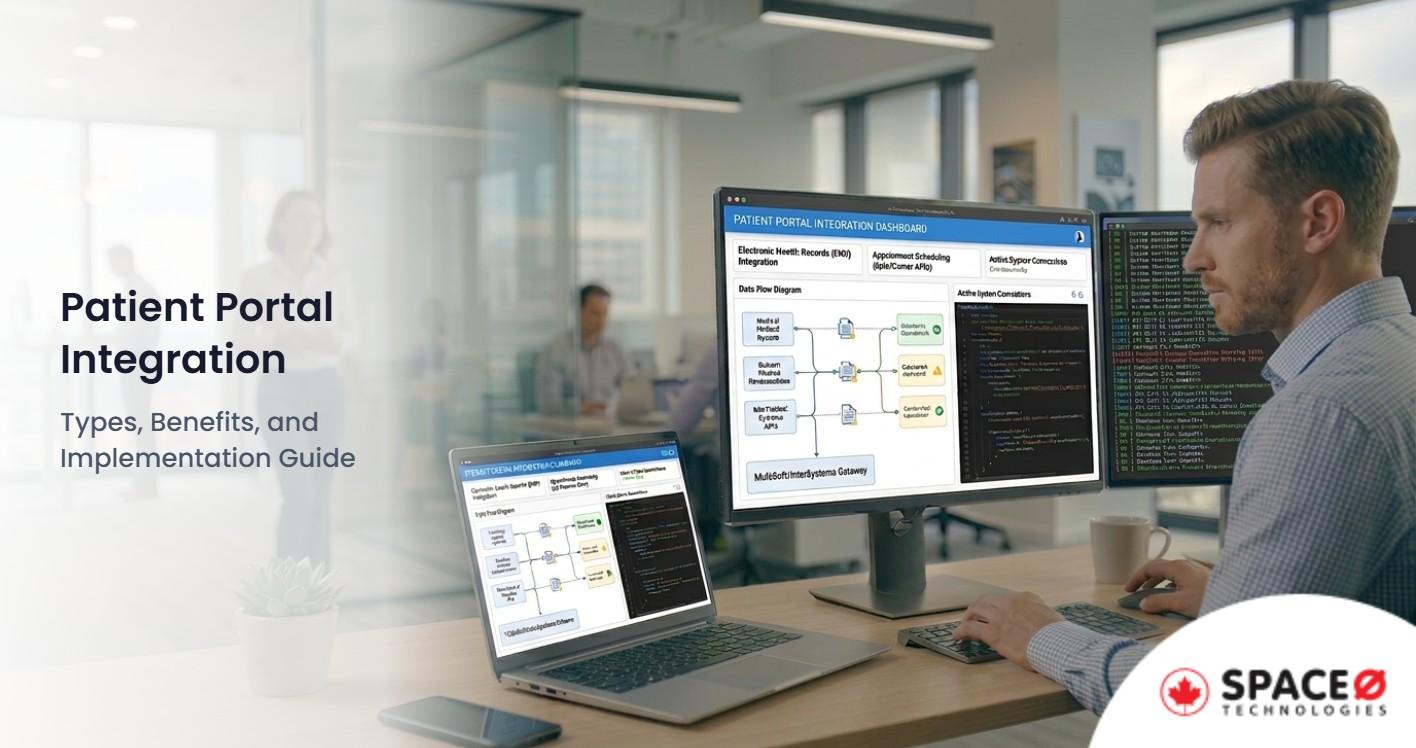
Is your patient portal operating as an isolated system while your EHR, lab information system, and billing software hold critical patient data separately? You are not alone. Many healthcare organizations invest in patient portals only to discover that disconnected systems create fragmented patient experiences and operational bottlenecks.
Interoperability remains a top priority for healthcare organizations, with the 21st Century Cures Act mandating that patients have access to their health information without special effort. According to Grand View Research, the global patient portal market size was valued at USD 2.9 billion in 2022 and is expected to expand at a compound annual growth rate (CAGR) of 19.44% from 2023 to 2030, driven largely by demand for integrated healthcare experiences.
This guide covers everything you need to know about patient portal integration. You will learn about integration types, benefits, implementation steps, challenges with solutions, and interoperability standards.
Whether you are building a new patient portal or connecting an existing one to your healthcare ecosystem, partnering with an experienced healthcare software development company ensures your integration delivers the connected experience patients expect.
What is Patient Portal Integration?
Patient portal integration is the process of connecting a patient portal with other healthcare systems, such as EHRs, lab information systems, practice management software, telehealth platforms, and payment processors, to enable seamless data exchange and unified patient experiences.
Unlike standalone patient portals that function as isolated applications with limited data access, integrated patient portals pull and push information across your entire healthcare technology ecosystem. When a patient logs into an integrated portal, they see their complete health picture: lab results from the LIS, upcoming appointments from the practice management system, prescription refills from the pharmacy system, and visit summaries from the EHR.
Integration relies on interoperability standards such as FHIR (Fast Healthcare Interoperability Resources), HL7, and CCDA to ensure different systems communicate effectively. These standards define how healthcare data is structured, transmitted, and received, enabling patient portals to exchange information with EHRs from different vendors.
For Canadian healthcare providers, patient portal integration must align with PIPEDA and provincial regulations like PHIPA in Ontario. Integrated systems expand the data exchange surface, making compliance architecture essential from the start. Organizations investing in healthcare software development must prioritize integration capabilities and compliance frameworks to avoid costly retrofitting later.
Pro Tip: When planning patient portal integration, map all systems that hold patient data first. Understanding your current technology landscape helps prioritize which integrations deliver the highest value and identify potential compatibility challenges early.
With the foundational concept clear, let’s explore the different types of systems that patient portals typically integrate with.
What are the Different Types of Patient Portal Integration?
Patient portal integration encompasses multiple system connections, each serving distinct clinical and operational functions. Understanding these integration types helps healthcare organizations prioritize their implementation roadmap based on organizational goals, patient needs, and available resources.
1. EHR/EMR integration
EHR integration forms the backbone of patient portal functionality. This integration connects the portal directly to electronic health records, enabling patients to view diagnoses, medications, allergies, immunization records, and visit summaries.
Integration occurs through standardized APIs using FHIR, HL7 v2, or CCDA protocols. Real-time synchronization ensures patients see current information immediately after provider documentation, while batch synchronization processes updates at scheduled intervals. Major EHR systems like Epic, Cerner, MEDITECH, Athenahealth, and eClinicalWorks each have specific integration requirements and API capabilities.
For organizations building custom portals, EHR software development expertise becomes critical to ensure proper data mapping and bidirectional communication between systems.
2. Lab information system (LIS) integration
LIS integration automates the delivery of lab results directly to patients through the portal. Instead of waiting for phone calls or mailed letters, patients receive notifications when results are available and can view them securely online.
This integration uses LOINC codes for standardized lab result identification and HL7 ORU messages for result transmission. Benefits include faster result communication, reduced call volume to front desk staff, and improved patient satisfaction. Patients can track their lab history over time, supporting better engagement in chronic disease management.
3. Practice management system integration
Practice management integration connects scheduling, registration, and billing functions to the patient portal. Patients can book, reschedule, or cancel appointments online, complete pre-visit forms, update demographic information, and view their account balances.
This integration reduces administrative burden significantly. Automated appointment reminders decrease no-show rates, while online bill pay accelerates revenue cycle performance. Patient registration workflows become streamlined when information entered in the portal flows directly to practice management systems without duplicate data entry.
4. Telehealth platform integration
Telehealth integration brings virtual care capabilities directly into the patient portal experience. Rather than navigating to separate applications, patients access video consultations, virtual waiting rooms, and secure messaging within their familiar portal environment.
This integration has become essential following accelerated telehealth adoption. Patients expect unified experiences where they can schedule a virtual visit, complete pre-visit questionnaires, join the video consultation, and receive follow-up instructions all within one platform. Organizations offering telemedicine software development services understand the complexity of embedding real-time communication features while maintaining HIPAA and PIPEDA compliance.
5. Pharmacy system integration
Pharmacy integration enables prescription management through the patient portal. Patients can request medication refills, view current and past prescriptions, receive drug interaction alerts, and track prescription status.
Integration uses RxNorm for medication terminology standardization and NCPDP D.0 for e-prescribing transactions. This connectivity improves medication adherence by making refills convenient and provides patients visibility into their complete medication history across providers.
6. Wearable and remote monitoring device integration
Wearable integration connects patient-generated health data from devices like Apple Watch, Fitbit, continuous glucose monitors, and blood pressure cuffs to the patient portal. This data flows into the clinical record, giving providers visibility into patient health between visits.
Integration with Apple HealthKit, Google Fit, and proprietary device APIs enables remote patient monitoring (RPM) programs. Patients with chronic conditions benefit from continuous monitoring, while providers receive alerts when readings fall outside normal parameters. This integration supports the shift from episodic care to continuous health management.
7. Payment processor integration
Payment integration enables secure bill pay functionality within the patient portal. Patients can view statements, make payments, set up payment plans, and store payment methods for future use.
For Canadian healthcare organizations, integration with local payment processors like Moneris and Interac alongside international options like Stripe provides flexibility. Payment integration must comply with PCI-DSS standards while maintaining the security architecture required for healthcare data protection.
8. Health information exchange (HIE) integration
HIE integration connects the patient portal to regional or national health information exchanges, enabling data sharing across multiple healthcare organizations. Patients receiving care from multiple providers benefit from consolidated health records accessible through a single portal.
This integration supports care coordination by giving providers visibility into patient encounters across the healthcare system. For Canadian providers, provincial HIE connections enable data exchange within provincial healthcare networks while respecting jurisdictional data governance requirements.
Integrate Your Patient Portal With Core Healthcare Systems
Space-O Technologies helps connect patient portals with EHRs, scheduling, billing, and clinical systems to ensure seamless data flow across platforms.
Understanding integration types helps healthcare organizations prioritize their implementation roadmap. Now let’s examine the tangible benefits these integrations deliver.
What are the Benefits of Patient Portal Integration?
Patient portal integration delivers measurable improvements across patient experience, operational efficiency, clinical outcomes, and financial performance. These benefits compound as organizations connect more systems to create truly unified healthcare experiences.
1. Improved patient experience and engagement
Integrated patient portals provide patients with a single access point for all their health information and healthcare interactions. Instead of navigating multiple systems or making phone calls for different needs, patients manage appointments, view results, message providers, pay bills, and access telehealth services from one platform. This convenience drives engagement.
2. Operational efficiency gains
Integration dramatically reduces administrative workload. When patients schedule appointments, request refills, and pay bills online, staff handle fewer phone calls and manual data entry tasks. Staff time previously spent on reminder calls and rescheduling can be redirected to patient care activities.
3. Enhanced clinical outcomes
Real-time data integration gives clinicians complete patient information at the point of care. When patient-reported data from wearables, completed questionnaires, and secure messages flow into clinical workflows, providers make more informed decisions. Integrated portals support better medication adherence through refill reminders and prescription tracking. Chronic disease management improves when patients can monitor their own health metrics and share data with care teams.
Pro Tip: Track clinical outcome metrics before and after integration implementation. Measuring readmission rates, medication adherence, and chronic disease control indicators demonstrates ROI and identifies opportunities for further optimization.
4. Cost reduction
Integration reduces costs across multiple dimensions. Administrative cost savings come from reduced manual processes and phone handling. Clinical cost savings emerge from decreased duplicate testing when providers have visibility into results from other organizations through HIE integration. Lower readmission rates through better patient engagement reduce penalty payments under value-based care models.
5. Regulatory compliance
The 21st Century Cures Act requires that patients have access to their electronic health information without special effort. Integrated patient portals help healthcare organizations meet these information blocking requirements by providing patients with comprehensive access to their health data.
For Canadian healthcare organizations, integration supports PIPEDA and PHIPA compliance when implemented with appropriate consent management, access controls, and audit logging. An integration architecture that considers compliance from the start avoids costly remediation later. Organizations pursuing healthcare software modernization should evaluate integration capabilities against current regulatory requirements.
6. Data-driven decision making
Integrated portals generate valuable data for population health management and quality improvement. Analytics on portal usage, patient engagement patterns, and health outcomes inform strategic decisions about care delivery and resource allocation. Patient satisfaction metrics, appointment adherence rates, and messaging patterns provide insights into patient needs and preferences.
While the benefits are compelling, successful integration requires a structured implementation approach.
How to Implement Patient Portal Integration: Step-by-Step Guide
Successful patient portal integration requires methodical planning, technical expertise, and organizational change management. This step-by-step approach helps healthcare organizations navigate implementation while minimizing risk and maximizing value.
Step 1: Assess current infrastructure
Begin by inventorying all systems that hold or process patient data. Document your EHR platform and version, practice management system, lab information system, billing software, telehealth tools, and any other clinical or operational applications.
Evaluate each system’s integration capabilities. Review API documentation, supported standards (FHIR, HL7, proprietary), and any existing integrations. Identify data governance requirements, including who owns each data set and what consent mechanisms exist for data sharing.
This assessment reveals technical constraints, integration complexity, and potential compatibility issues before development begins. Organizations without internal expertise often engage healthcare app development companies to conduct technical assessments and recommend integration strategies.
Step 2: Define integration priorities
Map clinical and operational workflows to identify where integration delivers the highest impact. Prioritize integrations that address the most significant pain points for patients and staff.
Common high-priority integrations include:
- EHR integration for clinical data access
- Scheduling integration for appointment self-service
- Lab results integration for faster patient communication
- Secure messaging for provider-patient communication
Set measurable success criteria for each integration. Define target metrics for patient adoption, staff time savings, patient satisfaction scores, and clinical outcomes that will demonstrate return on investment.
Step 3: Select integration approach
Choose an integration architecture based on your environment complexity, budget, and timeline:
Single API approach: EHR-agnostic platforms like InteliChart connect to multiple EHR systems through a unified API. This approach accelerates implementation when working with multiple EHR vendors or planning future EHR transitions.
Direct integration: Custom connections built specifically for your EHR environment. This approach provides maximum control and optimization but requires EHR-specific expertise and ongoing maintenance as systems update.
Middleware solutions: Data aggregation layers that normalize information from multiple sources before presenting it to the patient portal. This approach works well for complex environments with legacy systems that lack modern APIs.
Step 4: Ensure compliance framework
Build compliance into integration architecture from day one. Map HIPAA requirements (for US operations) and PIPEDA/PHIPA requirements (for Canadian operations) to technical specifications.
Design security architecture including:
- Data encryption at rest (AES-256) and in transit (TLS 1.3)
- Role-based access controls
- Comprehensive audit logging
- Breach detection and response capabilities
Execute Business Associate Agreements (BAAs) with all integration partners and vendors. Document data flows and establish consent management processes for patient data sharing across integrated systems.
Step 5: Develop and test integrations
Develop integration components according to specifications, following healthcare interoperability standards. Implement comprehensive testing protocols:
- Unit testing: Verify individual integration components function correctly in isolation.
- Integration testing: Confirm data flows accurately between connected systems.
- User acceptance testing (UAT): Validate that integrations meet clinical and operational workflow requirements with actual end users.
- Security testing: Conduct penetration testing and vulnerability assessments before deployment.
- Performance testing: Ensure integrations handle expected data volumes without latency issues.
Step 6: Deploy and train
Implement a phased rollout strategy rather than big-bang deployment. Start with a pilot group of patients and providers to identify issues before broad release.
Develop role-specific training programs:
- Clinical staff training on new workflows and data access
- Administrative staff training on changed processes
- Patient education materials explaining new portal capabilities
Establish feedback channels to capture user experiences and identify improvement opportunities during rollout.
Step 7: Monitor and optimize
Implement ongoing monitoring for integration performance, error rates, and user adoption. Track key metrics against the success criteria defined during planning.
Establish governance processes for:
- Regular review of integration performance
- Error investigation and resolution
- System updates and compatibility maintenance
- Continuous improvement based on user feedback
Integration is not a one-time project but an ongoing capability requiring sustained attention and resources.
Build a Patient Portal That Works Seamlessly With Your EHR
Space-O Technologies specializes in integrating patient portals with EHR systems to support real-time access to records, appointments, and care updates.
Even with a solid implementation plan, healthcare organizations must navigate several challenges. Here’s how to address them effectively.
What are the Challenges of Patient Portal Integration and How to Overcome Them?
Patient portal integration presents technical, organizational, and regulatory challenges. Understanding these obstacles and their solutions helps healthcare organizations plan realistic implementations and avoid common pitfalls.
1. EHR compatibility issues
Challenge: The healthcare industry uses over 40 different EHR systems, each with proprietary APIs, varying levels of standards compliance, and different integration capabilities. Legacy EHR versions may lack modern API support entirely. Vendor-specific limitations can restrict what data is accessible and how integrations must be architected.
Solution: Select EHR-agnostic integration platforms that abstract vendor-specific complexity behind unified APIs. When building custom integrations, partner with developers who have specific experience with your EHR platform.
Space-O Technologies has integration experience across major EHR systems, including Epic, Cerner, MEDITECH, and Athenahealth, reducing compatibility risks and accelerating implementation timelines.
2. Data standardization complexities
Challenge: Healthcare data exists in inconsistent formats across systems. The same clinical concept may be coded differently in your EHR versus your lab system. Terminology mapping between ICD-10, SNOMED CT, LOINC, and proprietary codes creates complexity. System updates can break existing mappings.
Solution: Adopt FHIR-first development approaches that leverage modern standardization. Implement robust data normalization layers that transform data into consistent formats before portal presentation. Establish terminology management processes that maintain mappings as systems evolve. Build version control into integration architecture to manage system updates gracefully.
3. Security and compliance requirements
Challenge: Integration expands the data exchange surface, creating additional security considerations. Each connected system represents a potential vulnerability. HIPAA, PIPEDA, and PHIPA require comprehensive safeguards across all integration points. Audit requirements become more complex as data flows between systems.
Solution: Build security architecture into integration design from the beginning rather than adding it later. Implement end-to-end encryption using AES-256 for data at rest and TLS 1.3 for data in transit. Deploy role-based access controls that limit data exposure to minimum necessary. Establish comprehensive audit logging that tracks all data access and transmission across integrated systems. Conduct regular security assessments and penetration testing.
Pro Tip: Create a security checklist specific to each integration point. Document encryption requirements, access controls, audit logging, and compliance certifications needed before any integration goes live.
4. Real-time synchronization demands
Challenge: Patients expect current information when they access their portal. Data latency creates confusion when portal information differs from what providers see. Simultaneous updates from multiple systems can create conflicts. System downtime in any connected application affects the entire integrated experience.
Solution: Implement event-driven architecture with message queuing that processes updates as they occur rather than waiting for batch cycles. Establish clear data conflict resolution rules that define which system is authoritative for each data type. Design failover mechanisms and caching strategies that maintain portal functionality during connected system outages. Set appropriate patient expectations about data currency through clear portal messaging.
5. Cost and resource constraints
Challenge: Integration development requires significant investment. EHR integration alone typically costs $18,000-$21,000, with comprehensive integration suites requiring substantially more. Ongoing maintenance, system updates, and staff training add to total cost of ownership. Many healthcare organizations lack internal technical expertise for complex integration work.
Solution: Prioritize integrations based on ROI potential, starting with high-impact connections that deliver measurable value quickly. Consider phased implementation that spreads investment over time while delivering incremental benefits.
6. User adoption barriers
Challenge: Clinical staff may resist workflow changes imposed by new integrations. Physicians concerned about message overload may not embrace patient communication features. Patients with limited digital literacy struggle to use integrated portal capabilities. Change fatigue from multiple technology implementations reduces enthusiasm for new tools.
Solution: Involve clinical staff early in requirements gathering and workflow design. Their input ensures integrations support rather than disrupt existing processes. Provide role-specific training that demonstrates how integrations save time and improve care delivery. Implement gradual rollouts that allow users to adapt incrementally.
Successful integration relies on adherence to industry standards. Let’s examine the key interoperability standards driving patient portal integration.
What are the Key Interoperability Standards for Patient Portal Integration?
Healthcare interoperability standards define how systems exchange data reliably and consistently. Understanding these standards helps healthcare organizations make informed decisions about integration architecture and vendor selection.
1. FHIR (Fast Healthcare Interoperability Resources)
FHIR represents the modern standard for healthcare data exchange. Developed by HL7 International, FHIR uses RESTful API architecture familiar to web developers, making it more accessible than legacy standards.
Key FHIR advantages include:
- Resource-based data model that maps to clinical concepts
- JSON and XML support for flexible implementation
- OAuth 2.0 security framework integration
- Growing regulatory support including CMS requirements
The 21st Century Cures Act and ONC regulations mandate FHIR adoption for certified health IT, driving rapid industry adoption. New patient portal integration projects should prioritize FHIR compatibility to ensure future-proof architecture.
2. HL7 v2 and HL7 v3
HL7 version 2 remains the most widely deployed healthcare messaging standard despite being decades old. Most EHR systems support HL7 v2 for lab results (ORU messages), admission/discharge/transfer notifications (ADT messages), and other clinical communications.
HL7 v3 attempted to address v2 limitations with a more rigorous data model but saw limited adoption due to implementation complexity. Organizations with significant HL7 v2 infrastructure must plan integration strategies that accommodate existing messaging while transitioning toward FHIR.
3. CCDA (Consolidated Clinical Document Architecture)
CCDA defines document formats for clinical information exchange, including continuity of care documents, discharge summaries, and care plans. While FHIR enables granular data access, CCDA remains important for document-based workflows like care transitions.
Patient portals often display CCDA documents for visit summaries and transition of care information. Integration architecture should support both FHIR APIs for real-time data access and CCDA document rendering for comprehensive clinical narratives.
Patient portal integration must handle terminology translation when connected systems use different coding standards for the same clinical concepts.
With standards understanding in place, selecting the right development partner becomes critical for integration success.
How to Choose a Patient Portal Integration Partner?
Selecting the right development partner significantly impacts integration success. Healthcare IT complexity, compliance requirements, and EHR-specific expertise demand partners with proven healthcare experience rather than general software development capabilities.
1. Healthcare IT experience and certifications
Evaluate partners based on their healthcare software portfolio and relevant certifications. Look for ISO 13485 (medical device quality management), HITRUST certification, and demonstrated PIPEDA compliance experience. Partners should understand clinical workflows, not just technical integration patterns. Ask for case studies from healthcare organizations similar to yours in size, specialty, and technology environment.
2. EHR integration expertise
Your partner should have specific experience with your EHR platform. Integration with Epic differs significantly from Cerner or MEDITECH integration. Ask about completed projects with your EHR vendor, relationships with EHR integration programs, and familiarity with vendor-specific APIs and limitations.
Partners with multi-EHR experience bring a valuable perspective on integration patterns that work across platforms and those that create vendor lock-in.
3. Compliance knowledge
Integration partners must understand healthcare compliance requirements deeply. For Canadian organizations, this means PIPEDA expertise and familiarity with provincial regulations like PHIPA. Partners should demonstrate how they build compliance into architecture rather than treating it as an afterthought.
Ask how they handle consent management, audit logging, data residency requirements, and breach response planning. Review their security assessment processes and penetration testing practices.
4. Technology stack capabilities
Evaluate partner expertise in relevant interoperability standards (FHIR, HL7, CCDA) and modern development practices. Partners should demonstrate API development capabilities, cloud architecture expertise, and security implementation experience.
Review their approach to testing, deployment, and ongoing maintenance. Integration is not complete at go-live; partners should offer support models that address system updates and evolving requirements.
5. Support and maintenance models
Understand what happens after initial deployment. EHR updates, security patches, and changing requirements demand ongoing attention. Partners should offer clear support models with defined response times and escalation procedures.
Ask about their approach to knowledge transfer if you plan to bring maintenance in-house eventually. Documentation quality and training support matter for long-term success.
Organizations considering outsourcing healthcare software development should prioritize partners with transparent communication practices and proven healthcare delivery track records.
Turn Patient Portal Integration Into a Long-Term Digital Advantage
Space-O delivers integration solutions designed for maintainability, performance, and evolving healthcare requirements.
Building Connected Healthcare Experiences with Patient Portal Integration
Patient portal integration transforms isolated healthcare applications into unified platforms that serve patients and providers effectively. By connecting EHRs, lab systems, practice management software, telehealth platforms, and payment processors, healthcare organizations create experiences that meet modern patient expectations while improving operational efficiency.
Space-O Technologies helps healthcare organizations achieve seamless patient portal integration, connecting disparate systems into unified patient experiences. We deliver secure, healthcare-grade integration solutions with built-in expertise across PIPEDA and PHIPA compliance. The team integrates leading EHR platforms such as Epic, Cerner, MEDITECH, and Athenahealth, using FHIR-native development to align with evolving regulatory standards.
With custom integrations tailored to your clinical workflows, an agile delivery approach, dedicated project management, three months of free post-launch maintenance, and a proven Fortune 500 track record, Space-O offers reliable integration outcomes at competitive pricing for Canadian healthcare providers.
Ready to integrate your patient portal with your healthcare systems? Schedule a Free Consultation with Space-O Technologies to discuss your integration requirements and receive a detailed project assessment.
Frequently Asked Questions about Patient Portal Integration
How much does patient portal integration cost?
Patient portal integration costs vary based on scope and complexity. EHR integration typically costs $18,000-$21,000. Lab system integration ranges from $5,000-$15,000. Comprehensive integration suites connecting multiple systems can range from $50,000-$150,000 or more depending on the number of integrations, customization requirements, and compliance needs. Ongoing maintenance typically adds 10-20% of initial development cost annually.
How long does patient portal integration take?
Timeline depends on integration complexity and organizational readiness. Single system integrations (such as EHR or lab results) typically take 2-4 months from requirements through deployment. Comprehensive multi-system integration projects range from 6-12 months. Factors affecting timeline include EHR vendor cooperation, data standardization requirements, testing complexity, and organizational change management needs.
What EHR systems can patient portals integrate with?
Patient portals can integrate with virtually any EHR system that supports modern interoperability standards. Major platforms with established integration pathways include Epic, Cerner (Oracle Health), MEDITECH, Athenahealth, eClinicalWorks, NextGen Healthcare, and Allscripts. EHR-agnostic integration platforms like InteliChart support connections to 40+ EHR systems through unified APIs.
What security measures are required for patient portal integration?
Required security measures include data encryption at rest (AES-256 standard) and in transit (TLS 1.3), multi-factor authentication, role-based access controls, comprehensive audit logging, and breach detection capabilities. Compliance certifications such as SOC 2 Type II and HITRUST provide third-party validation. Canadian organizations must ensure PIPEDA compliance including appropriate consent management and data residency considerations.
Can existing patient portals be integrated with new systems?
Yes, existing patient portals can be integrated with additional systems through API development and middleware solutions. The feasibility depends on the portal’s architecture and extensibility. Modern portals built with API-first design integrate more easily than legacy systems. Organizations with older portals may need modernization efforts before adding new integrations. A technical assessment identifies the most efficient path forward.
What is the difference between integrated and standalone patient portals?
Standalone patient portals operate independently with limited data, typically offering basic features like appointment requests and secure messaging without real-time system connectivity. Integrated patient portals connect to EHRs, lab systems, billing, and other applications to provide comprehensive, current health information. Integrated portals deliver superior patient experiences but require greater implementation investment. Most healthcare organizations find that integration benefits justify the additional cost through improved efficiency and patient satisfaction.
What is FHIR, and why does it matter for patient portal integration?
FHIR (Fast Healthcare Interoperability Resources) is a modern healthcare data exchange standard developed by HL7 International. It uses RESTful APIs familiar to web developers, making integration development more accessible. FHIR matters because regulatory requirements, including the 21st Century Cures Act, mandate FHIR adoption for certified health IT. Building patient portal integrations with FHIR ensures compliance with current regulations and positions organizations well for future interoperability requirements.


Want to Integrate a Patient Portal into Your Healthcare System?
What to read next
 All our projects are secured by NDA
100% Secure. Zero Spam
*All your data will remain strictly confidential.
Trusted by


Bashar Anabtawi 
Canada
“I was mostly happy with the high level of experience and professionalism of the various teams that worked on my project. Not only they clearly understood my exact technical requirements but even suggested better ways in doing them. The Communication tools that were used were excellent and easy. And finally and most importantly, the interaction, follow up and support from the top management was great. Space-O not delivered a high quality product but exceeded my expectations! I would definitely hire them again for future jobs!”

Canada Office
2 County Court Blvd., Suite 400,
Brampton, Ontario L6W 3W8
Phone: +1 (602) 737-0187
Email: sales@spaceo.ca