
- How to Launch an App — Quick Overview
- How Do You Launch a Mobile App? 17 Steps to Follow
- Pre-launch Preparation
- Step 1: Conduct Comprehensive Market Research
- Step 2: Identify Your Target Audience and Craft a Unique Value Proposition
- Step 3: Build and Test Your MVP Before Full Launch
- Step 4: Choose a Monetization Model
- Step 5: Set Clear Success Criteria for Your Launch Goals
- Step 6: Develop Engaging Branded Visuals and Screenshots for Marketing
- Step 7: Register Your Domain and Create an Engaging Landing Page
- Step 8: Build a Strong Social Media Presence
- Step 9: Engage With Target Audience Communities
- The Launch Event of Your Mobile Application
- Post-launch Optimization and Growth
- How Much Does it Cost to Launch an App?
- Launch Your App With Space-O Technologies
- FAQ About Launching an App in the Market
How to Launch An App: A Comprehensive Guide for Your App Success

 Last Updated: March, 25 2026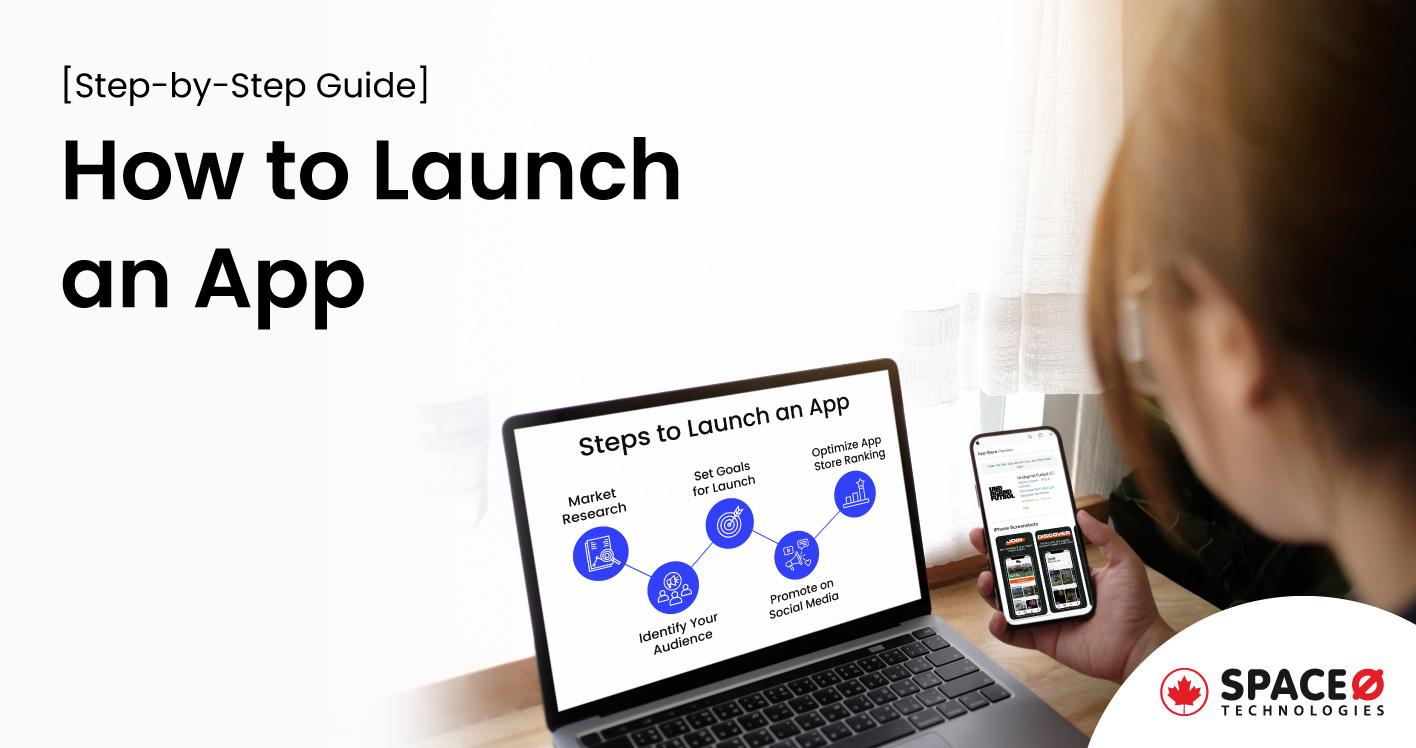
Whether you are a startup founder preparing your first release, a product manager planning a mobile rollout, or a business owner looking to enter the app market, this guide covers everything you need to know about launching an app.
In 2024, global mobile app downloads reached 148.2 billion, a 3.9% increase from the previous year, as per a report by Statista. With over 2 million apps on both Google Play and the Apple App Store, standing out requires more than great development. That’s why your launch strategy matters just as much as the product itself.
As a mobile app development company with experience in developing and launching 300+ custom mobile and software solutions, we understand that a successful app launch is not a single event. It is a well-planned process that starts long before the app hits the market.
You need a strategic approach to get your app in front of the right people, at the right time, through the right channels. This guide walks you through how to launch a mobile app, from pre-launch preparation to post-launch growth—based on proven strategies that work.
How to Launch an App — Quick Overview
To launch an app successfully, follow these steps to launch an app across three core phases.
- First, complete your pre-launch preparation—this includes market research, identifying your target audience, crafting a unique value proposition, and setting up a landing page with app store optimization (ASO).
- Second, execute the launch by submitting your app to the Apple App Store and Google Play Store, distributing a press kit, and activating paid and organic marketing campaigns.
- Third, focus on post-launch optimization by tracking analytics, collecting user feedback, and releasing regular updates.
The full process typically takes 3 to 6 months for simple apps and 6 to 12 months for complex applications. Development costs range from $30,000 for a basic app to $500,000+ for enterprise-grade solutions.
App Launch Timeline at a Glance
| Launch Phase | Duration | Key Activities |
|---|---|---|
| Pre-launch preparation | 4–8 weeks | Market research, audience identification, landing page, ASO planning, beta testing |
| Development and testing | 8–24 weeks | UI/UX design, core development, QA testing, app store submission |
| Launch execution | 1–2 weeks | Store submission, press outreach, paid campaigns, social media activation |
| Post-launch optimization | Ongoing | Analytics tracking, user feedback, updates, retention campaigns |
How Do You Launch a Mobile App? 17 Steps to Follow
Launching a new app without a clear strategy means your app won’t get the downloads it deserves, even if it outperforms your competitors. Once you know how to make an app, the next critical step is planning the best way to launch an app that attracts and retains users.
The whole process of launching an app is divided into three stages which are pre-launch preparation, the launch process of apps in the app stores, and post-launch optimization and growth.
Pre-launch Preparation
Step 1: Conduct Comprehensive Market Research
If you are wondering how to start an app project, market research is the essential first step. It gives you a clear picture of opportunities and obstacles before your launch. By understanding the market deeply, you get a more precise picture of where your app fits in and how to make it shine above other apps. Here are the practical steps that you can follow for market and competitor research.
- Identify Competitors: List down apps that are similar to yours. Knowing who you’re up against helps you spot opportunities to be different and better.
- Analyze Competitor Strengths and Weaknesses: Use tools like App Annie or Sensor Tower to see the features of your competitor’s app features, user reviews, and ranking. With such data, you get to know what the preferences of the users are. Further, you can offer what’s missing in your app.
- Understand User Desires: Conduct surveys or read forums related to your app’s niche. Users then tell about the features and requirements they need within apps.
- Spot Market Gaps: Look for problems users frequently mention that aren’t being addressed. Finding and offering a solution to the problems of the end-users.
- Monitor Trends: Stay updated with industry news and emerging technologies for software and mobile apps. Being among the first to adopt a new trend can give your app a significant advantage.
Overall, conducting market research empowers you to make data-driven decisions, mitigate risks, and tailor your app’s features to meet user needs.
To build your app, you can use platform-specific technologies like Swift for iOS app development and Kotlin for Android app development. Alternatively, cross-platform frameworks like React Native and Flutter let you build for both platforms from a single codebase. This step ensures you have the right tools and resources to develop, test, and deploy your app.
Before starting development, enroll in the Apple Developer Program ($99/year) and create a Google Play Developer account ($25 one-time fee). These accounts are required to submit, test, and publish your app on both stores.
Step 2: Identify Your Target Audience and Craft a Unique Value Proposition
The better you know your audience, the more you can make an app they will love. Here are a few points to follow for identifying your target audience.
- Create User Personas: Imagine who would use your app and create a user persona. Write names, and ages, and list out the likes and unlikes of end-users. These imaginary users, called “personas,” help you understand real users better. For example, if you’re making a fitness app, one persona could be “Gym-going Gina, 30.”
- Conduct Surveys: Ask people what they want in an app like yours. By doing this, you get to know what features are most wanted. You might find out that people want easier tracking of their workouts in a fitness app.
- Look at Competing Mobile Apps’ Reviews: Read reviews of similar mobile apps on app stores like Google Play Store and Apple App Store. Reviews can tell you what users love and hate. If everyone complains about ads in a competing app, maybe your app should have fewer ads.
- Test with a Small Group: Conduct beta testing with external users to collect feedback on user experience. This is a key part of the MVP app development process. Real user feedback gives you a clear understanding of your app’s performance and helps you validate whether you are on the right track before committing to a full-scale launch.
- Crafting a Unique Value Proposition: You need to have the USP of your mobile application in terms of features, functionalities, or benefits. For example, you are building a fitness app and the fitness app’s value proposition might be: “The simplest way to track workouts and diet.”
Knowing your target market helps you build an app people want to use, reducing wasted time and increasing your chance of success.
Want to Develop and Launch Your Mobile App?
Talk to us. We are a leading mobile app development company, having experience in developing 300+ custom mobile and software solutions.
Step 3: Build and Test Your MVP Before Full Launch
Before investing in a full-scale launch, validate your app with a minimum viable product (MVP). An MVP includes only the core features needed to solve your users’ primary problem. It lets you test your concept with real users, gather feedback, and refine the experience before committing to a complete build.
Once your MVP is validated, create a release candidate build for both iOS and Android. This is the version you plan to release to the public. Run internal testing to identify bugs and ensure app quality. Perform regression testing to confirm that new code changes did not break existing functionality.
Consider running a closed beta test with a small group of target users. Platforms like TestFlight for iOS and Google Play’s internal testing track make it easy to distribute beta versions and collect structured feedback before your public launch.
Step 4: Choose a Monetization Model
Your app’s monetization strategy directly impacts its design, features, and mobile app development process. Deciding how your app will generate revenue early prevents costly redesigns later. Here are the most common models to consider.
- Free (Ad-supported): Users download the app at no cost. Revenue comes from in-app advertising. This model works well for apps targeting large user bases.
- Freemium: The app is free to download with basic features. Users pay to unlock premium functionality. This is the most popular model across both app stores.
- Paid (Premium): Users pay a one-time fee to download the app. This works best when the app offers clear, immediate value that justifies the upfront cost.
- Subscription: Users pay a recurring fee for continued access. This model suits apps that deliver ongoing value, such as fitness, productivity, or content platforms.
- In-app purchases: Users buy virtual goods, content, or features within the app. This is the dominant model for gaming apps.
You can also combine multiple models. For example, a freemium app can include both a subscription tier and in-app purchases. The right choice depends on your target audience, competitor pricing, and the type of value your app delivers.
Step 5: Set Clear Success Criteria for Your Launch Goals
Setting goals for your app is like setting the destination in your GPS. You wouldn’t start a road trip without knowing where you’re going, right? In the same way, having clear goals helps you know where you want your app to end up. Check the following points to set your criteria for a successful mobile app launch.
- Identify Key Metrics: Decide what numbers are important for your app. Tracking the right mobile app KPIs like downloads, user reviews, retention rate, and in-app purchases will tell you if your app is performing well or needs work. For example, if your goal is to create a popular game, tracking daily active users might be the most important metric.
- Set Short-term and Long-term Goals: Create goals for different periods—first week, first month, six months, and one year. Align these milestones with your app development timeline so your marketing and development efforts stay in sync. Short-term goals like initial downloads give you quick wins, while long-term goals keep you focused on sustainable growth.
- Define Specific Goals: For example, you define that you want 10,000 app downloads in the first week of your mobile app launch in the app marketplace. Being specific makes your goal more real and gives you something exact to aim for. Your goals should be tough but possible. Easy goals won’t push you to work hard, while impossible goals will just discourage you.
- Develop a Tracking System: Use tools like Google Analytics for Firebase or Mixpanel to track your app’s performance across both Android and iOS. You can’t know if you’ve reached your goal if you’re not keeping track. Having clear success criteria acts as your roadmap to guide your efforts and helps you understand if your app is a hit or requires improvement.
Knowing how to launch a successful app starts with defining what success looks like for your specific product and audience.
Step 6: Develop Engaging Branded Visuals and Screenshots for Marketing
When users land on your website or app store searching for your application, visuals are the first thing users notice. As there are so many mobile apps in app stores, what would be the first thing the users will notice? High-quality graphics can make an immediate impact, tempting users to learn more or even download your app on the spot. This is the reason you must take care of the visuals you make for your app for the launch event. Here are the basic points to take care of while creating a visual identity for your mobile application.
- Define Your Visual Identity: Choose the colours, fonts, and imagery that represent your app’s brand. Consistency in your visual identity builds trust and makes your app memorable.
- Showcase Core Features in Screenshots: Capture screenshots or create mockups that highlight the main features of your app. Users often skim through images before reading text. Highlighting key features in visuals quickly conveys what your app is about on your landing page.
- Test Multiple Visuals: Create different versions of visuals and see which ones engage users more. Testing allows you to eliminate guesswork and use visuals that have proven to attract users.
- Prepare for Multiple Platforms: Adapt your visuals for different platforms (iOS, Android) and marketing channels (website, social media). Different platforms have different requirements and audiences; customization ensures your visuals look the best on each platform.
Step 7: Register Your Domain and Create an Engaging Landing Page
Your landing page creates the first impression that can either spark curiosity or make users look away. This is where web development and marketing intersect. Let’s dive into how to craft a captivating cover for your app’s story.
Your domain name is like your app’s address on the internet. Choose a name that reflects your app’s purpose or its unique selling point. Shorter domains are easier to remember and type. Avoid complicated words or long phrases that users might mistype.
When users land on your page, they should immediately feel a connection to your app. Use similar colours, fonts, and imagery to maintain consistency. This is the reason why you use the mirror design concept for your mobile application on your website.
A landing page is the first thing users check to learn about your app. Highlight your app’s key features and how users can benefit from them. Make it crystal clear what you want users to do. Whether it’s signing up for early access, downloading a demo, or subscribing, the call to action should be prominent.
Step 8: Build a Strong Social Media Presence
Social media is one of the most effective ways to reach a wider audience fast when launching a mobile app. With the right social media strategy, you can share your app’s story, connect with potential users, and build a loyal fan base before your launch date. You can provide a personal touch in the story and grab users’ attention for your mobile app. Here are the steps to follow for creating a social media strategy that makes users eagerly await your app’s arrival.
- Not all social media platforms are created equal. Identify where your target audience hangs out and focus your efforts there.
- Users love a good story. Share the ups and downs, milestones, and challenges you face while developing your app. This creates a human connection and keeps users engaged.
- Show off your app’s features, design, and functionalities through short videos, images, or teasers. This gives users a taste of what’s coming.
Here are the ways to engage your social media audience for your mobile app.
- Your social media posts shouldn’t just be about your app. Share tips, industry insights, or fun content related to your app’s niche to keep your audience engaged.
- Respond to comments, messages, and mentions. Engaging with your audience makes them feel heard and valued.
- Contests and giveaways create excitement and encourage users to spread the word about your app.
Before publishing your app to the app stores, you need to receive approval from stakeholders and key team members. This process confirms that every aspect of the app like design, functionality, security and content, are in line with the business objectives and fulfill the quality standards set by your organization.
Step 9: Engage With Target Audience Communities
Connecting with your potential users before your app launch is like laying the foundation for a strong building. It’s about creating a network of individuals who are genuinely interested in what you have to offer.
Here’s why:
- Being part of a community enables you to understand your audience’s needs, preferences, and pain points. Discussions of your community provide you with valuable insights for refining your app.
- Engaging genuinely in communities showcases your expertise and willingness to help. This builds trust and credibility among community members.
- When you engage with a community, you are creating a pool of potential early adopters who evaluate your app and help you spread the word.
Here are the ways to build a community for your mobile app.
- Identify forums, groups, or social media platforms that are relevant to your app’s niche. Focus on quality over quantity.
- Instead of pushing your app, aim to provide value. Answer questions, offer solutions, and share your expertise.
- Once you’ve built a rapport, subtly introduce your app when it aligns with ongoing discussions.
The Launch Event of Your Mobile Application
Step 10: Thoroughly Understand App Submission Guidelines
During the app development process, there’s a crucial backstage process you need: understanding app submission guidelines. Each app store has its own set of rules and requirements. Ignoring these guidelines can lead to frustrating delays.
Failing to meet these guidelines can result in rejection or delays, hindering your launch plans. Following them ensures your app aligns with industry standards, creating a positive impression on users. App store guidelines often emphasize user experience. App stores have specific rules about content, design, and functionality.
To understand the guidelines thoroughly, follow the below steps.
- If you want to know how to release an app on the App Store or Google Play, start by studying the submission guidelines provided by each platform. For submitting an iOS app via App Store Connect, follow Apple’s guidelines—our iPhone app development team can help navigate this process. For Android apps submitted via Google Play Console, adhere to Google’s policies. Understanding the dos and don’ts of each platform helps you avoid common pitfalls and rejection delays.
- Guidelines can change over time. Keep an eye on updates to ensure your app remains compliant, especially if there are new requirements.
Step 11: Enhance Discoverability with App Store Optimization (ASO)
When someone searches for mobile apps like yours, your app needs to appear in their results. If it doesn’t, that’s a missed opportunity. App Store Optimization (ASO) is the best way to launch an app with strong organic visibility from day one.
Here are the reasons why app store optimization is important.
- When users search for an app, your mobile app should stand out in the app store listing. ASO helps you optimize your app’s elements to rank higher in search results.
- A higher ranking means more eyes on your app. This directly translates to increased downloads and a wider user base.
So, how to enhance discoverability with ASO strategy.
- Identify keywords that your potential users might use to search for iOS or Android apps like yours. Incorporate these keywords in your app title, description, and keywords field.
- Your app’s icon and screenshots should be visually engaging, giving users a sneak peek of what your app offers.
Step 12: Compile a Comprehensive Press Kit
To make sure your apps are encouraged by journalists, you need to provide all the essential information upfront. This is where a comprehensive press kit comes into play. If you are not aware of why and how to create a press kit for your iOS or Android app, check the following section.
- A press kit provides them with everything they need to know in a convenient package.
- A well-organized press kit shows that you’re serious about your app launch and makes it easier for media professionals to cover your story.
Here are the steps for building a comprehensive press kit.
- Craft a compelling press release that outlines your app’s unique features, benefits, and launch date.
- Include high-resolution images and videos showcasing your app’s interface, features, and functionalities.
Step 13: Attract Media Coverage by Crafting Focused Pitches
While designing your marketing strategy, crafting pitches for your mobile application is a core part. Suppose, you are at a networking event. You wouldn’t approach just anyone – you’d focus on those who share your interests. Similarly, when reaching out to the media, targeted pitches can produce better results.
Here are the ways to attract media with targeted pitches.
- Identify journalists or influencers who cover your app’s niche. Understand their writing style and what topics they focus on.
- Tailor your pitch to each recipient. Highlight how your app fits their audience and why it’s worth covering.
Step 14: Strategize Paid User Acquisition
Paid user acquisition is creating advertising campaigns targeted and designed to attract the right audience. Check the following two subsections that describe why and how to strategize your paid user acquisition.
- Platforms like Facebook and Google Ads allow you to define your audience based on demographics, interests, and behaviour.
- Paid user acquisition enables you to set a budget and monitor campaign performance to ensure maximum return on investment.
Read on how to strategize paid user acquisition.
- Understand your ideal users – their age, interests, pain points, and preferences – to create targeted campaigns.
- Regularly analyze campaign data. Adjust targeting and messaging based on what’s working best.
Post-launch Optimization and Growth
Step 15: Implement Robust App Analytics and Tracking
Once the curtains rise on your app’s grand launch, the show doesn’t stop – it’s time to track and understand your audience’s reactions. App analytics tools like Google Analytics or Mixpanel become your backstage passes, giving you insights into user behaviour, preferences, and interactions. Let’s explore why implementing robust app analytics is essential and how you can do it effectively.
- Without data, you’re making decisions in the dark. App analytics provide valuable insights to help you understand how users are engaging with your app.
- Tracking user behaviour identifies bottlenecks, drop-off points, and successful features, enabling you to refine your strategies and improve user experience.
Here are the ways to implement app analytics and tracking.
- Select an analytics tool that suits your app’s needs and goals. Firebase Analytics, Mixpanel, and Amplitude are popular choices for mobile apps.
- Determine which metrics matter most – from user acquisition and engagement to retention and conversion rates.
- App analytics provide actionable insights to optimize user experience and drive continuous app growth.
Step 16: Continuous Monitoring and Upgradation
As technology evolves, your app needs regular updates to stay competitive. This is where ongoing mobile app maintenance becomes essential to keep your app relevant and performing well. Whether it’s updating your mobile app technology or improving your mobile app features, you need to analyze and perform the actions accordingly. Here are the two ways that help you to learn how to improve your mobile app.
Here are the ways to improve your content optimization.
- Provide avenues for users to share their thoughts and suggestions. Surveys, in-app feedback forms, and reviews are valuable sources.
- Set a schedule for app updates and improvements. Keep users excited by consistently delivering fresh features.
- Regular monitoring and updates ensure your app stays relevant, user-friendly, and aligned with evolving user needs.
Step 17: Evaluate Launch Outcomes against Success Criteria
The final act of your launch journey involves assessing the results against your initial goals. With such an exercise, you know about accomplishments, learn from setbacks, and chart your course for future growth. Here are the ways to evaluate your mobile app launch results with your defined success criteria.
- Compare actual results with the goals you set during pre-launch. Use analytics tools to gather insights and quantify success.
- Evaluating outcomes provides a roadmap for future growth, enabling you to build on successes and refine strategies for better results.
Hire Our App Developers to Develop and Launch Your App
Space-O Technologies has mobile app developers who are well-versed in Kotlin, Swift, Flutter, and React Native to create robust apps.
This is all about the process of successfully launching a mobile app smoothly and effortlessly. If you still have questions regarding the launch process, check our FAQ sections.
How Much Does it Cost to Launch an App?
A mobile app typically costs between $30,000 and $500,000+ to launch, depending on complexity, platforms, and whether you build in-house or with a development partner. Here is a general breakdown of app launch costs.
| App Complexity | Estimated Cost Range | Timeline |
|---|---|---|
| Simple app (basic features, single platform) | $30,000–$60,000 | 3–4 months |
| Mid-complexity app (multiple features, both platforms) | $60,000–$150,000 | 4–8 months |
| Complex app (advanced features, integrations, custom backend) | $150,000–$500,000+ | 8–12+ months |
Beyond development, factor in these additional launch costs.
- Apple Developer Program: $99 per year
- Google Play Developer Account: $25 one-time fee
- App Store Optimization (ASO): $1,000–$5,000 for initial keyword research and listing optimization
- Pre-launch marketing: $2,000–$20,000+ depending on channels (social media ads, influencer outreach, press coverage)
- Post-launch maintenance: 15–20% of the initial development cost annually
These are estimated ranges and your actual costs will vary based on your app’s specific requirements. For a more accurate estimate tailored to your project, use our app cost calculator.
Get a Clear Cost Estimate for Your App Launch
Space-O Technologies provides transparent pricing and milestone-based delivery so you can budget your app launch with confidence.
Launch Your App With Space-O Technologies
Launching a mobile app is a multi-phase process that requires careful planning, disciplined execution, and continuous optimization after release. From conducting market research and identifying your target audience to submitting your app on the Apple App Store and Google Play Store, every step in the launch process directly impacts your app’s ability to attract and retain users.
Space-O Technologies has helped startups, SMBs, and Fortune 500 companies develop and launch 300+ custom mobile and software solutions since 2018. Our mobile app development team handles everything from initial market research and UI/UX design to app store submission, ASO, and post-launch support.
Whether you are launching your first app or scaling an existing product to new platforms, our team can help you move from idea to live product with a clear timeline, transparent pricing, and a dedicated project manager as your single point of contact.
Use our app cost calculator to get an instant estimate for your project, or book a free consultation to discuss your app launch strategy with our team.
FAQ About Launching an App in the Market
How much does it cost to launch an app?
The cost to launch an app ranges from $30,000 to $60,000 for a simple single-platform app, $60,000 to $150,000 for a mid-complexity app on both iOS and Android, and $150,000 to $500,000+ for complex applications with custom backends and advanced integrations. Additional costs include the Apple Developer Program fee ($99/year), Google Play Developer account ($25 one-time), and pre-launch marketing ($2,000–$20,000+).
Which KPIs should you monitor after launching an app?
Key KPIs to track after launch include user acquisition (new downloads), user engagement (active usage vs dormant), retention rate (percentage returning after first use), revenue metrics (monetization performance), and app crashes (technical issues affecting experience). Monitoring these KPIs gives you a clear picture of how your app is performing and its improvement points.
What are the places to launch a mobile application?
The two major platforms to launch a mobile application are Apple’s App Store for iOS devices and Google Play for Android. Alternative platforms like Amazon Appstore, Huawei AppGallery, and Samsung Galaxy Store are also available but typically have smaller user bases.
Is it hard to launch an app?
Launching an app is a complex task. The entire app launch process is a combination of tech skills, good planning, and clever marketing. While launching an app, there would be challenges like building the app, making sure it can grow, and getting people to use it. But with the right team and a strong plan, you can navigate these challenges effectively.
How to plan a marketing campaign for launch of an app?
A launch marketing campaign is a strategic effort to capture attention and gain users as soon as your app is available. Launching an app requires deep market research, crafting a compelling USP, wisely choosing promotional channels, setting a clear budget, following a flexible timeline, ensuring coordinated marketing efforts, and continuously measuring and refining for optimal results.
How long does it take to launch a mobile app?
A simple app typically takes 3 to 4 months from development to store approval. Mid-complexity apps with multiple features and dual-platform support take 4 to 8 months. Complex apps with advanced integrations and custom backends can take 8 to 12 months or longer. Pre-launch marketing should begin at least 4 to 8 weeks before the planned release date.
Can I launch an app without coding?
Yes, no-code platforms like Glide, Adalo, and FlutterFlow allow you to build and launch a basic app without writing code. These are ideal for MVPs and simple applications. However, for apps that require custom features, third-party integrations, or enterprise-grade security, working with a professional app development team delivers better performance, scalability, and user experience.


What to read next

 All our projects are secured by NDA
100% Secure. Zero Spam
*All your data will remain strictly confidential.
Trusted by


Bashar Anabtawi 
Canada
“I was mostly happy with the high level of experience and professionalism of the various teams that worked on my project. Not only they clearly understood my exact technical requirements but even suggested better ways in doing them. The Communication tools that were used were excellent and easy. And finally and most importantly, the interaction, follow up and support from the top management was great. Space-O not delivered a high quality product but exceeded my expectations! I would definitely hire them again for future jobs!”

Canada Office
2 County Court Blvd., Suite 400,
Brampton, Ontario L6W 3W8
Phone: +1 (602) 737-0187
Email: sales@spaceo.ca