
Home > Case-study > Event Management App
Event Management App Development
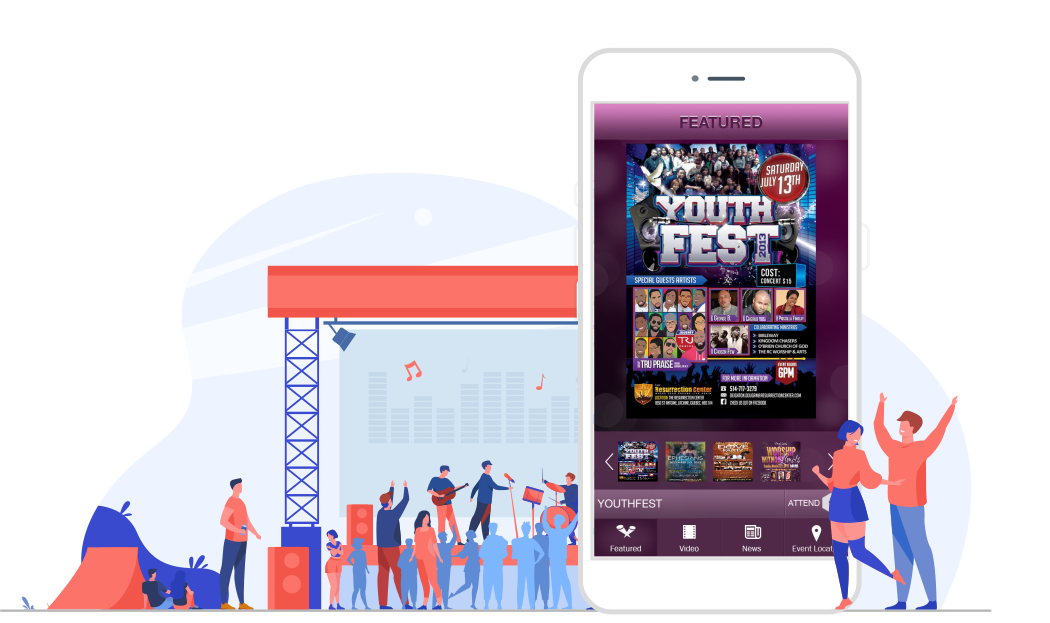
GospelKinnect is an event management app designed and developed by Space-O Canada that helps a community add events, find what is happening nearby, buy tickets, and stay in the loop with news and reminders. Built first for a faith community across North America, it gives organizers a simple way to promote and manage multiple events from one place.
Available on iOS and Android, GospelKinnect works as a complete event management app, event planning app, event ticketing app, event discovery app, community event app, social event app, and event marketing platform, pairing a GPS event locator with featured events, video, music, and news.
About GospelKinnect
Faith communities, artists, and speakers had no single place to publish gatherings or find what was happening nearby, so events were easy to miss. Our client needed an app that surfaces local events, sells tickets, and keeps members updated.
GospelKinnect also works as an event marketing platform where subscribed users and organizers post and promote their own events. Space-O Canada designed, developed, and QA’d the app for iOS and Android.
How We Built the Event
Management App
This event management app development project spanned the full scope of event app development: UX/UI design, native iOS and Android builds, and QA. Our app development team built GospelKinnect around six core modules, each with a clear requirement and the solution we shipped.
Add & Manage Events
1
Requirement
Admins and approved members needed to publish events with the details an attendee looks for.
Solution
We built an add event flow where organizers enter cost, time, place, and images while attendees attend, map the venue, or call, and organizers manage multiple events from one dashboard.
Event Discovery & Locator
2
Requirement
People needed to find relevant events fast, both near them and in a chosen city.
Solution
We built a GPS event locator with two modes, By Location for events within a 50-mile radius and By City for any searched city, plus a Featured section, making this a strong event discovery app and local events app.
Ticketing
3
Requirement
Attendees wanted to commit to an event the moment they discover it.
Solution
We added in-app ticketing so users buy tickets directly, turning GospelKinnect into a practical event ticketing app and giving organizers a clear view of sales.
RSVP & Push Notifications
4
Requirement
Even interested attendees forget, so the app had to remind them ahead of time.
Solution
We built RSVP with push notifications that remind users 48 and 24 hours before any event they have RSVPed to.
Content Hub: Video, Music & News
5
Requirement
The client wanted the app to be a destination between events, not just a calendar.
Solution
We built admin-managed Video, Music, and News sections, covering clips and performances, community songs, and news and updates such as tickets sold and announcements.
Organizer Tools & Event Marketing
6
Requirement
Organizers needed to promote events and reach the right people without manual effort.
Solution
We gave subscribed users an event organizer app toolkit to post and promote events, so GospelKinnect doubles as an event marketing platform for the community.
Key Features of GospelKinnect
Add Event
Publish an event with cost, time, place, description, and images, with attend, map, and call options.
Event Locator
Find events by location within 50 miles or by city using a GPS location search, like an event finder app.
Buy Tickets & RSVP & Reminders
Purchase event tickets in-app, so this event ticketing app closes the loop from discovery to attendance. RSVP to events and get push notifications 48 and 24 hours before they start.
Featured Events
Admins spotlight big, recurring, or important featured events at the top of the feed.
Video Section & Music Section
Watch promotional clips and performances curated by the admin. Stream songs from community artists, adding an entertainment layer to the app.
News & Updates
Stay current with news and updates such as tickets sold and community announcements.
Who Uses This Event Management App
An event app suits anyone who runs or attends gatherings, and the concept adapts well beyond one community, including:
Event Organizers
Community & Faith Groups
Artists & Performers
Local Businesses
Nonprofits
Ticket Sellers
Event-Goers
Content Creators
Technology Stack
iOS App
 Swift
Swift Java
Java Kotlin
Backend
 Node.js
Database
 MySQL
MySQLMaps, Payments & Push
 Google Maps SDK
 Stripe
 FCM / APNs
 AWS
AWS Firebase
Our Role in the Project
Space-O Canada served as the end-to-end design, development, and QA partner for GospelKinnect, from UX through native iOS and Android delivery and App Store / Play Store launch.
FAQs About Event Management App Development
Most teams ask the same questions before they commit to a custom build. These are the ones we hear most often when planning event management app development.
What features are required to build a custom event management and planning app?
A core build needs attendee registration and ticketing with multiple ticket tiers, secure online payments, an event schedule or agenda, and digital e-tickets with QR check-in. You also want push notifications, in-app networking or chat, maps and geolocation for venue navigation, and an organizer dashboard for managing attendees and tracking sales. More advanced apps add virtual or hybrid event streaming, sponsor and exhibitor profiles, and live Q&A or polling.
How much does it cost to develop a custom event management and planning app from scratch?
A basic event app with registration, ticketing, and payments typically costs between 20,000 and 40,000 USD. A mid-range build with networking, agendas, and an organizer dashboard usually runs 50,000 to 120,000 USD. Complex platforms with virtual events, live chat, and advanced analytics can exceed 150,000 USD depending on scope and integrations.
How long does it take to build an event management and planning app?
A focused MVP with ticketing, payments, and check-in usually takes 3 to 4 months. A feature-rich app with networking, agendas, and an admin panel commonly takes 5 to 8 months. Timelines depend on platform coverage, design complexity, and the number of third-party integrations such as payment gateways and streaming services.
How do you build an event management and planning app, step by step?
The process starts with discovery and requirement analysis, then UX wireframing and UI design. Next comes backend and API development, building the attendee and organizer apps, and integrating payments, maps, and notifications. The build ends with QA testing across devices, app store deployment, and post-launch support and iteration based on real event feedback.
Why should you hire Space-O Canada to build an event management and planning app?
Space-O Canada has hands-on experience delivering custom mobile and web platforms with ticketing, payment integration, and real-time features. The team handles the full cycle from discovery and design through development, testing, and post-launch support, which reduces risk for organizers and startups. You also get clear documentation and ownership of source code so the product remains yours to scale.
How does an event management app work and how does it make money for organizers and communities?
Organizers create events, set ticket tiers and pricing, and publish them, while attendees register, pay, and receive digital tickets they scan at check-in. The app makes money through transaction or service fees on each ticket sold, organizer subscription plans for advanced tools and analytics, and sponsorship or promoted listing placements. Some platforms add revenue from premium virtual passes and add-on purchases like workshops or merchandise.
Who needs a custom event management and planning app, and why build custom instead of off-the-shelf?
Event organizers, conference hosts, community groups, and startups running recurring events benefit most, especially when their workflows do not fit generic tools. A custom build lets you own branding, control transaction fees, add unique features, and integrate with your existing CRM or marketing stack. Off-the-shelf platforms are faster to start but charge per-ticket fees and limit customization, which becomes costly at scale.
What attendee, organizer, and admin roles should the app support?
The attendee app handles browsing events, registering, paying, receiving e-tickets, and networking during the event. The organizer or admin panel manages event creation, ticket inventory, check-in scanning, attendee data, and revenue reporting. Larger platforms also add staff roles for on-site check-in and sponsor or exhibitor logins for lead capture.
Which payment gateways and integrations does an event app typically need?
Most apps integrate Stripe, PayPal, or Square for card and wallet payments, plus Apple Pay and Google Pay for fast mobile checkout. Common additional integrations include email and SMS for confirmations, calendar sync, mapping APIs for directions, and CRM or marketing tools like Mailchimp. Virtual events also require video streaming integrations such as Zoom or a custom WebRTC layer.
What technology stack is recommended for an event management and planning app?
Cross-platform frameworks like Flutter or React Native are popular for building iOS and Android apps from one codebase, which lowers cost. The backend is commonly built with Node.js or Python, paired with PostgreSQL or MongoDB and cloud hosting on AWS or Google Cloud. Real-time features like chat and live updates use WebSockets or services such as Firebase.
Other Community & Event Apps by Space-O Canada
See other event management and custom platform projects built by Space-O Technologies for clients across North America.
-
Event Management Website
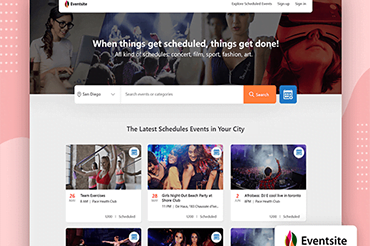
We designed & developed an event management website that helps in the event listing, promoting and scheduling. Read this case study for an in-depth idea.
-
Live Streaming App
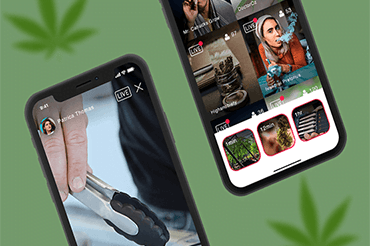
Looking for best video streaming apps? We’ve developed a live streaming app for cannabis enthusiasts, businesses, advertisers, and more worldwide.
-
Influencer Marketing App
Want to build influencer marketing app? We have developed influencer app allows top brands & agencies to connect with nano-influencers for their campaigns.
 All our projects are secured by NDA
100% Secure. Zero Spam
*All your data will remain strictly confidential.
Trusted by


Bashar Anabtawi 
Canada
“I was mostly happy with the high level of experience and professionalism of the various teams that worked on my project. Not only they clearly understood my exact technical requirements but even suggested better ways in doing them. The Communication tools that were used were excellent and easy. And finally and most importantly, the interaction, follow up and support from the top management was great. Space-O not delivered a high quality product but exceeded my expectations! I would definitely hire them again for future jobs!”

Canada Office
2 County Court Blvd., Suite 400,
Brampton, Ontario L6W 3W8
Phone: +1 (623) 335-2152
Email: sales@spaceo.ca