

Patient Appointment System Development: Features, Benefits, and Implementation Guide
If you’re researching patient appointment system development, you’re likely dealing with one or more of these challenges: missed appointments draining revenue, staff overwhelmed by phone-based scheduling, or patients frustrated by outdated booking processes.
According to Canadian Journal of Opthalmology, missed appointments are a silent killer for clinic efficiency. Out of 14,597 bookings, a whopping 803 (5.50%) turned into no-shows. Each empty slot represents lost revenue, idle staff time, and delayed patient care.
According to Tebra’s 2024 Patient Perspective survey, 92% of patients want to complete their intake process before arriving for their scheduled appointment.They expect online booking, automated reminders, and self-service rescheduling—not phone tag and paper forms.
This guide – developed by Space-O Technologies’ healthcare software team – is built for healthcare administrators, IT leaders, and practice managers evaluating custom appointment system development. Whether you’re replacing a legacy scheduling tool, integrating with an existing EHR/EMR, or building a patient booking system from scratch, you’ll find actionable answers here.
What this guide covers:
- Core features your appointment system needs (and which ones to prioritize)
- Realistic development costs and timelines for Canadian healthcare organizations
- Step-by-step implementation process from requirements to launch
- PIPEDA and PHIPA compliance considerations
- How to evaluate and choose the right development partner
Modern healthcare software development makes it possible to build scheduling solutions tailored to your workflows, integrated with your existing systems, and compliant with Canadian privacy regulations.
Let’s start with why healthcare organizations are prioritizing appointment system development—and the measurable impact it delivers.
What is a Patient Appointment System?
A Patient Appointment System (PAS) is a digital platform that automates and streamlines the booking, management, and communication of patient visits for healthcare providers. It acts as a virtual front desk, enabling 24/7 self-scheduling, sending automated reminders, and integrating with Electronic Health Records (EHR) to improve efficiency, reduce staff workload, and enhance the patient experience through shorter wait times and better access to care.
Unlike basic calendar tools, these systems are purpose-built for healthcare workflows and integrate with clinical systems to streamline the entire patient journey.
Modern patient appointment systems serve as the digital front door for healthcare organizations. They replace phone-based scheduling with self-service portals where patients can view real-time provider availability, select convenient time slots, and receive automated confirmations—all without staff intervention.
Benefits of patient appointment system:
For Patients: Convenience, 24/7 access, reduced wait times, and better control over their healthcare journey.
For Providers: Lower administrative burden, fewer scheduling errors (like double bookings), optimized staff utilization, and improved patient satisfaction.
Key components of patient appointment scheduling software
A comprehensive patient appointment system consists of three interconnected layers working together:
- Patient-facing booking interface: This is what patients see and interact with. It displays available appointment slots, allows patients to select providers and services, collects necessary pre-visit information, and confirms bookings instantly. The best interfaces work seamlessly across desktop and mobile devices.
- Provider scheduling dashboard: Healthcare staff use this backend interface to manage provider calendars, set availability rules, handle complex scheduling scenarios like recurring appointments, and access patient booking details. It provides visibility into daily schedules across multiple providers and locations.
- Backend database and business logic: This layer stores all scheduling data, enforces booking rules (like buffer times between appointments), triggers automated reminders, and manages integrations with other healthcare systems like EHRs and billing platforms.
For organizations building broader patient engagement platforms, appointment scheduling often integrates with patient portal development to create unified digital experiences. We’ve previously built dental appointment scheduling software that demonstrates how custom scheduling transforms clinic operations.
With the fundamentals established, let’s understand the 7-step process to develop a patient appointment system.
How to Develop a Patient Appointment System in 7 Steps: Step-by-Step Process
When you build a custom patient appointment system with a healthcare software development company, the project moves through clearly defined stages. Each stage is handled by specialized teams, ensuring regulatory compliance, usability, and long-term scalability.
Step 1: Define requirements and compliance needs
The process begins with the Business Analysis (BA) team working closely with your internal stakeholders to understand what needs to be built and why.
They conduct interviews with front desk staff, nurses, physicians, IT teams, and administrators to identify current scheduling challenges and workflow gaps. This input helps document real-world requirements instead of assumptions.
In parallel, the BA team maps applicable regulations such as PIPEDA and provincial laws like PHIPA. This includes defining consent mechanisms, data retention policies, access controls, and audit requirements.
All identified features are then documented and prioritized into launch-critical functionality and future enhancements.
Step 2: Choose the right development approach
With requirements clearly documented, the solution architecture and technical consulting team evaluates how the appointment system should be built and structured.
This team reviews factors such as appointment volume, number of providers, multi-location scheduling complexity, expected integrations with EHR/EMR systems, and future scalability needs. The goal is to define a development strategy that aligns with both operational reality and long-term growth.
Technical feasibility, integration dependencies, and performance expectations are assessed at this stage. This ensures architectural decisions support reliable scheduling, real-time availability updates, and secure data exchange before design and development begin.
Step 3: Design user experience for patients and staff
The UI/UX design team converts requirements into user flows, wireframes, and interface designs tailored to both patients and healthcare staff.
For patients, designers focus on reducing friction during booking. This includes simplifying form inputs, clearly displaying provider availability, and ensuring confirmation is immediate and unambiguous. Accessibility and ease of use are prioritized so patients of all ages can book appointments independently.
For staff, dashboards are designed to support daily scheduling operations. Views are optimized to display appointment density, provider availability, and patient details at a glance. Common actions—such as rescheduling, cancellations, and note updates—are intentionally kept within one or two clicks.
Designs follow a mobile-first approach to support patient smartphone usage and tablet-based check-in workflows for front desk teams.
Step 4: Develop and integrate with existing systems
After design approval, the development team begins implementation in iterative development cycles.
Core scheduling logic, notification workflows, and administrative tools are built incrementally to allow early validation. Integration specialists connect the appointment system with EHR/EMR platforms, patient portals, messaging services, and internal reporting tools.
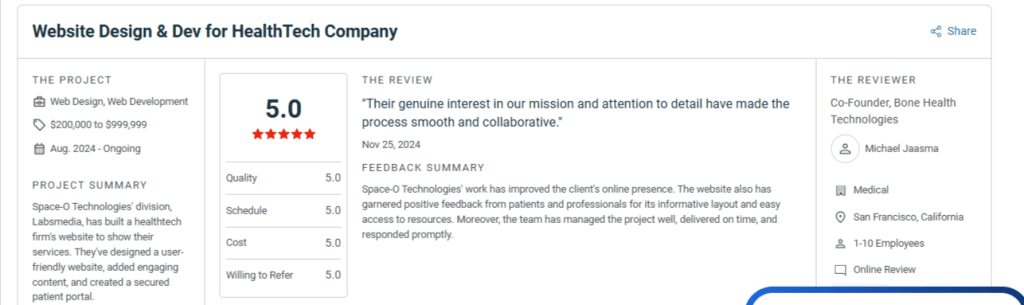
Special attention is given to data synchronization, error handling, and performance under real-world booking loads. Continuous collaboration between developers and QA teams helps identify and resolve issues early. At Space-O Technologies, our healthcare development team has delivered appointment scheduling solutions for clinics, hospitals, and multi-location practices across North America.
With 4.9★ rating on Clutch and 1,500+ successful projects, we bring proven expertise in building HIPAA and PIPEDA-compliant systems that integrate seamlessly with existing healthcare infrastructure.
Step 5: Implement security and compliance measures
Throughout development, the security and compliance team ensures patient data protection and regulatory adherence.
They implement encryption for data in transit and at rest, configure role-based access controls for different staff roles, and enable detailed audit logs to track system access and changes. Consent management workflows are integrated to ensure patient permissions are captured and respected.
Regular security reviews help confirm that compliance requirements are consistently met across features and integrations.
Step 6: Test, deploy, and train users
Before launch, the QA and deployment team conducts comprehensive testing to ensure the system performs reliably in real-world conditions.
Functional testing validates scheduling workflows, notifications, and integrations. Performance testing ensures the system can handle peak booking volumes. Security testing identifies potential vulnerabilities.
Deployment is typically phased, starting with a pilot rollout for a limited provider group or location. Training materials and role-specific guides are provided to front desk staff, clinical users, and administrators to support smooth adoption.
With 15+ years of experience delivering healthcare software, Space-O provides dedicated QA teams and post-launch support to ensure your appointment system performs flawlessly from go-live through ongoing operations.
Step 7: Launch and monitor performance
After full deployment, the support and monitoring team tracks system performance and user behavior.
Metrics such as booking completion rates, no-show reductions, system response times, and error rates are monitored continuously. Feedback from patients and staff is actively collected to identify usability issues or workflow gaps.
This data informs ongoing improvements, feature enhancements, and optimization efforts—ensuring the appointment system continues to deliver value over time.
Replace Manual Scheduling With an Automated Patient Appointment System
Implement a digital appointment system that integrates with EHRs and reduces scheduling errors.
Development is just the beginning—understanding common challenges helps you navigate them successfully.
What are the Challenges in Patient Appointment System Development and How to Overcome Them?
Even well-planned projects encounter obstacles. Here are the most common challenges in patient appointment system development and practical strategies to address them.
1. Integration with legacy healthcare systems
The challenge:
Many healthcare organizations run EHR/EMR systems that are years or decades old. These systems may lack modern APIs, use proprietary data formats, or have limited integration capabilities. Connecting new scheduling software to legacy systems often proves more complex than expected. Organizations dealing with outdated systems may benefit from a comprehensive healthcare software modernization strategy before building new scheduling capabilities.
The solution:
Start integration planning early—ideally before development begins. Engage your EHR vendor’s integration team to understand available options. For systems supporting HL7 FHIR standards, leverage these modern APIs. For older systems, interface engines can translate between formats. Budget additional time and resources for integration work, as it rarely goes as smoothly as projected.
2. Ensuring data security and PIPEDA compliance
The challenge:
Healthcare data requires the highest protection levels. PIPEDA mandates specific requirements around consent, data handling, and breach notification. Provincial regulations like Ontario’s PHIPA add additional requirements. Non-compliance risks significant penalties and reputational damage.
The solution:
Involve compliance and legal teams from project inception. Document your compliance approach and get it reviewed before development. Implement security controls as you build, not after. Consider engaging a third-party security assessor to validate your approach. For Canadian healthcare organizations, ensure data residency in Canada unless you have explicit patient consent for cross-border transfers.
Space-O embeds HIPAA and PIPEDA compliance into every healthcare project from day one, with security controls built into the architecture rather than bolted on afterward.
3. User adoption and change management
The challenge:
New systems disrupt established workflows. Staff comfortable with existing processes may resist change. Patients unfamiliar with online booking may continue calling. Low adoption undermines the ROI of your investment.
The solution:
Involve end users throughout development. Staff who helped shape the system become champions rather than resisters. Provide comprehensive training tailored to each user role. Launch with a pilot group who can provide peer support to later adopters. For patients, make the online booking option prominently visible and easier than phone booking. Consider temporarily reducing phone availability to encourage digital adoption.
4. Handling peak scheduling loads
The challenge:
Scheduling demand isn’t constant. Monday mornings after weekends generate surge traffic. Flu season increases appointment volume. Marketing campaigns drive booking spikes. Systems that work fine under normal load may struggle or fail during peaks.
The solution:
Design for peak load, not average load. Cloud infrastructure enables automatic scaling when demand spikes. Load test your system before launch using realistic traffic patterns. Implement queuing mechanisms so users wait briefly rather than encountering errors. Monitor performance continuously and set alerts for approaching capacity limits.
Space-O builds appointment systems on scalable cloud architecture designed to handle 10x normal traffic without performance degradation—so flu season surges never crash your scheduling.
Challenges are manageable with the right partner—here’s why healthcare organizations need a patient appointment system.
Why Do Healthcare Organizations Need Patient Appointment System Development?
The decision to invest in patient appointment system development goes beyond convenience. It addresses fundamental operational challenges that directly impact revenue, efficiency, and patient outcomes. Here’s why healthcare organizations across Canada are prioritizing scheduling system modernization.
1. Reducing no-shows and cancellations
Patient no-shows cost providers revenue while leaving clinical resources idle. Studies show automated reminders can reduce no-show rates by 30% to 40%. A well-designed system sends SMS and email reminders at strategic intervals, enables one-click confirmation, and simplifies rescheduling to fill cancelled slots quickly.
2. Improving operational efficiency
Manual scheduling—answering phones, checking calendars, confirming appointments—consumes hours daily, often requiring dedicated full-time staff. Patient appointment systems automate these repetitive tasks through online self-service booking, automated reminders, and digital waitlist management, freeing staff to focus on patient care and activities requiring human judgment.
3. Enhancing patient experience and satisfaction
Today’s patients expect digital convenience. Modern scheduling systems let patients book appointments anytime, from any device, without phone calls. They can view real-time availability, choose convenient times, and receive appointment details via email and text. This convenience translates directly into higher satisfaction scores and better reviews.
4. Ensuring regulatory compliance
Canadian healthcare organizations must handle patient data according to PIPEDA and, in Ontario, PHIPA. This requires proper consent mechanisms, secure data transmission and storage, audit trails, and patient control over information. Building compliance into a patient appointment system from the start is far easier than retrofitting later.
5. Optimizing revenue and resource utilization
Empty appointment slots directly impact your bottom line. Smart scheduling systems maximize capacity by intelligently distributing appointments, minimizing gaps between bookings, and automatically filling cancellations from waitlists. Built-in analytics help identify peak demand periods, enabling better resource allocation and staffing decisions that increase revenue without adding overhead.
Space-O builds appointment systems with intelligent scheduling algorithms that maximize provider utilization—helping healthcare organizations increase revenue without adding staff or extending hours.
6. Enabling data-driven decision making
Patient appointment systems capture valuable operational data that manual processes miss. Detailed reporting reveals patterns in booking behavior, peak demand times, provider utilization rates, and common cancellation reasons.
These insights help administrators make informed decisions about staffing levels, office hours, and service offerings to continuously improve practice performance. Advanced systems incorporate predictive analytics in healthcare to forecast demand and optimize scheduling proactively.
Space-O builds custom analytics dashboards that give administrators real-time visibility into booking patterns, provider utilization, and cancellation trends—turning scheduling data into actionable insights.
Pro Tip: When developing a patient appointment system for Canadian healthcare organizations, prioritize PIPEDA compliance from the architecture phase—retrofitting security and consent mechanisms later is significantly more expensive and increases risk exposure.
Understanding these benefits leads to the next critical question: what features should your patient appointment system include?
What are the Essential Features of a Patient Appointment System?
The features you include determine whether your patient appointment system merely functions or truly transforms your scheduling operations. Based on successful healthcare scheduling implementations, here are the capabilities that deliver the most value.
1. Core scheduling features
These foundational features form the backbone of any patient appointment system:
- Real-time availability display: Patients see accurate, up-to-the-minute appointment availability. When a slot gets booked, it immediately disappears from the available options, preventing double-bookings and patient frustration.
- Multi-provider scheduling: Healthcare organizations with multiple physicians, specialists, or locations need systems that manage complex provider schedules. Patients should easily find and book with specific providers or choose “first available” to get the earliest slot.
- Appointment type configuration: Different visit types require different time allocations. An initial consultation might need 45 minutes while a follow-up requires only 15. The system should enforce these durations and prevent inappropriate booking patterns.
- Recurring appointment support: Patients receiving ongoing treatment—physical therapy, dialysis, regular check-ups—need easy ways to schedule multiple appointments following consistent patterns without booking each one individually.
2. Patient communication features
Communication capabilities often determine no-show rates more than any other factor:
- Automated SMS and email reminders: Configurable reminder sequences sent at intervals you define. Best practice includes reminders at 48 hours, 24 hours, and day-of, with each message including easy confirmation and cancellation options.
- Two-way messaging: Beyond reminders, some systems enable secure messaging between patients and staff for questions about appointments, pre-visit instructions, or last-minute changes.
- Waitlist management: When preferred slots aren’t available, patients can join waitlists and receive automatic notifications when cancellations open up desired times. This fills gaps that would otherwise go unfilled.
- Self-service rescheduling: Patients who can easily reschedule online are far more likely to rebook rather than simply no-show. Make this process as frictionless as possible.
3. Administrative and management features
Staff-facing capabilities determine day-to-day operational efficiency:
- Provider calendar management: Intuitive interfaces for setting regular hours, blocking time for meetings or procedures, and handling schedule exceptions like vacations or conferences.
- Reporting and analytics dashboard: Data on booking volumes, no-show rates, peak demand times, provider utilization, and other metrics that inform operational decisions. Without measurement, improvement is guesswork.
- Resource allocation tools: For procedures requiring specific rooms, equipment, or support staff, the system should manage these resources alongside provider availability to prevent conflicts.
- Multi-location support: Healthcare networks need centralized scheduling that works across multiple clinics while respecting each location’s unique providers, services, and operating hours.
4. Integration capabilities
Standalone scheduling creates data silos. Integrated systems multiply value:
- EHR/EMR integration: Appointments should flow into electronic health records automatically. When a patient books, their chart should be ready when they arrive. This integration is often the most complex but also the most valuable.Successful EHR integration requires careful planning and healthcare-specific expertise.
- Payment gateway integration: Collect deposits, copays, or full payments at booking time. For Canadian implementations, this means integration with processors like Moneris or Stripe Canada that handle CAD transactions properly. For billing workflows, many organizations also consider medical billing software development to create end-to-end revenue cycle management.
- Telehealth integration: Post-pandemic, virtual appointments are standard offerings. Your scheduling system should handle video visit bookings and automatically send patients secure meeting links. Learn more about telemedicine software development for best practices.
- Insurance verification: Real-time eligibility checks at booking prevent surprises at check-in and reduce claim denials.
For more comprehensive capabilities, consider how your appointment system connects with broader patient portal development to create unified patient experiences.
Build a Patient Appointment System That Reduces No-Shows
Develop a secure appointment system with automated reminders, real-time availability, and easy patient self-scheduling.
Features determine functionality, but architecture determines scalability—explore the technical components that power modern appointment systems.
What is the Technology Stack for Patient Appointment System Development?
Selecting the right technology stack for patient appointment system development impacts performance, scalability, security, and long-term maintenance costs. Here’s what powers modern healthcare scheduling solutions.
1. Frontend technologies
The frontend must be responsive, intuitive, and performant across devices. React.js leads for complex scheduling interfaces, while Angular suits larger enterprise implementations. For mobile, React Native enables cross-platform development from shared code, and Flutter offers excellent performance. Native Swift or Kotlin development remains viable for maximum performance requirements.
2. Backend technologies
Backend systems handle business logic, data management, and integrations. Node.js excels at real-time features like availability updates. Python with Django or FastAPI supports AI-powered scheduling optimization. PHP Laravel offers cost-effective solutions for straightforward applications. .NET suits enterprise healthcare environments with Microsoft infrastructure and Active Directory integration needs.
3. Database and storage
Data architecture must balance performance with healthcare compliance. PostgreSQL handles scheduling data requiring consistency and complex queries. MongoDB offers flexibility for varying data structures. For patient documents and consent forms, AWS S3, Azure Blob Storage, or Google Cloud Storage provides secure storage with proper encryption and access controls.
4. Cloud infrastructure and hosting
Healthcare workloads demand reliable, secure, and compliant hosting. AWS, Azure, and Google Cloud all offer HIPAA-eligible options with Canadian data centers. For PIPEDA compliance, many Canadian healthcare organizations require data residency within Canada—a requirement that must be specified early in architecture decisions.
5. Third-party integrations
Purpose-built services accelerate development for common capabilities. Twilio handles SMS reminders with delivery optimization. SendGrid or Mailgun ensures emails reach inboxes. Stripe or Moneris processes payments, with Moneris preferred for Canadian domestic processing. Google Calendar and Outlook integration lets patients add appointments directly to personal calendars.
Technical decisions impact budget directly—here’s what you can expect to invest in patient appointment system development.
How Much Does Patient Appointment System Development Cost?
Custom appointment systems for Canadian clinics cost $40K–$250K+ CAD, starting basic at 3-4 months ($40K–$70K) and scaling to enterprise with AI/telehealth in 6-9 months—perfect complement to EHR builds via React Native teams.
Understanding realistic costs helps healthcare organizations budget appropriately and evaluate vendor proposals. For a broader view of healthcare technology investments, see our guide on healthcare app development cost. Patient appointment system development costs vary significantly based on scope, but here’s what to expect.
1. Factors affecting development costs
Several variables determine your total investment:
- Feature complexity: Basic scheduling with reminders costs far less than systems incorporating AI-powered optimization, complex multi-location logic, or advanced analytics. Every feature adds development time.
- Integration requirements: Connecting to existing EHR/EMR systems often represents the most complex (and costly) portion of development. HL7 FHIR integrations require specialized expertise. Payment and insurance verification integrations add additional complexity.
- Compliance needs: PIPEDA and PHIPA compliance require specific security implementations, audit logging, consent management, and potentially third-party security assessments. These aren’t optional for Canadian healthcare but do add to development costs.
- Platform choices: Web-only systems cost less than web plus native mobile apps. Cross-platform mobile development (React Native, Flutter) reduces costs compared to separate iOS and Android native development.
- Design requirements: Custom UI/UX design matching your brand costs more than adapting existing templates. Healthcare interfaces require particular attention to accessibility compliance.
2. Cost breakdown by project type
Based on typical healthcare scheduling projects, here are realistic budget ranges in Canadian dollars:
| Project Type | Key Features | Timeline | Cost Range (CAD) |
|---|---|---|---|
| Basic System | Scheduling, reminders, patient self-service, reports | 3-4 months | $40K–$70K |
| Standard System | + EHR integration, payments, waitlists, analytics | 4-6 months | $70K–$120K |
| Enterprise System | + Multi-location, AI optimization, telehealth, custom workflows | 6-9 months | $120K–$250K+ |
These ranges assume working with an experienced healthcare app development partner. Rates vary by vendor location and expertise level.
3. Ongoing maintenance and support costs
Development costs represent the initial investment, but plan for ongoing expenses:
- Monthly hosting and infrastructure: Cloud hosting, database services, SMS/email delivery services typically run $500-$2,000 monthly depending on usage volume and redundancy requirements.
- Maintenance and support: Bug fixes, security patches, minor updates, and technical support typically cost 15-20% of initial development annually. For a $100,000 system, budget $15,000-$20,000 per year.
- Feature enhancements: As you gather user feedback and identify improvement opportunities, plan budget for ongoing development. Many organizations allocate a monthly retainer for continuous improvement.
Pro Tip: Start with an MVP focusing on core scheduling and automated reminders. Validate with real users before investing in advanced features like AI-powered scheduling optimization. This approach reduces risk and ensures you’re building what patients and staff actually need.
Budget clarity enables planning—follow this step-by-step guide to develop your patient appointment system successfully.
How to Choose the Right Partner for Patient Appointment System Development?
Your development partner significantly impacts project success. Here’s how to evaluate potential partners for patient appointment system development.
1. Evaluate healthcare domain expertise
Healthcare software developers can build scheduling features, but healthcare brings unique requirements they may not anticipate.
- PIPEDA/PHIPA compliance experience: Ask specifically about Canadian healthcare projects. Have they implemented consent management, audit logging, and data residency requirements? Can they explain how they approach compliance—not just claim they handle it?
- Healthcare project portfolio: Request case studies from healthcare clients. What scheduling or patient management systems have they built? What challenges did they encounter and overcome? References from healthcare organizations carry more weight than generic testimonials.
Need dedicated expertise? Hire healthcare software developers with proven experience in PIPEDA-compliant systems.
2. Assess technical capabilities
Ensure the partner’s technical expertise aligns with your needs.
- Technology stack alignment: If your organization has standardized on certain technologies (Microsoft stack, AWS, specific EHR platforms), verify the partner has relevant expertise. Asking a Python shop to build in .NET adds risk and learning curve.
- Integration experience: EHR/EMR integration experience is particularly valuable. Ask about specific systems they’ve integrated with. HL7 FHIR expertise indicates modern healthcare integration capabilities.
- Security expertise: Healthcare requires robust security implementation. Inquire about their security practices, code review processes, and any relevant certifications or assessments.
3. Review development process and communication
How partners work matters as much as what they build.
- Agile methodology: Iterative development with regular demonstrations keeps projects on track and surfaces issues early. Ask how they structure sprints, involve clients in planning, and handle changing requirements.
- Transparent communication: Healthcare projects require close collaboration. Understand their communication cadence, project management tools, and escalation processes. Time zone alignment matters—working with teams in drastically different time zones complicates real-time collaboration.
- Quality assurance practices: How do they test? What’s their approach to security testing? How do they ensure code quality? Answers reveal their commitment to delivering reliable software.
4. Confirm post-launch support and maintenance
Development relationships shouldn’t end at launch.
- SLA offerings: What response times do they guarantee for production issues? How do they handle critical bugs versus minor enhancements? Clear service level agreements set appropriate expectations.
- Ongoing enhancement capabilities: Your appointment system will evolve. Can this partner support long-term development? Do they offer retainer arrangements for continuous improvement? A partner invested in your long-term success is more valuable than one focused only on initial delivery.
- Knowledge transfer: If you eventually want to bring development in-house or switch partners, can they provide comprehensive documentation and code handoff? Avoiding vendor lock-in protects your investment.
Develop a Secure and Compliant Appointment System With Space-O
Partner with Space-O to build a HIPAA- and PIPEDA-ready patient appointment system tailored to clinical workflows.
For organizations evaluating options, our guide on healthcare app development companies provides frameworks for vendor assessment.
Finding the right partner accelerates success—discover how Space-O Technologies delivers patient appointment solutions that transform healthcare operations. Consider whether to outsource healthcare software development or build in-house based on your organization’s capabilities.
Build Your Patient Appointment System with Space-O Technologies
Patient appointment system development represents a significant opportunity for healthcare organizations to reduce no-shows, improve operational efficiency, enhance patient satisfaction, and ensure regulatory compliance. The key is approaching development strategically, defining clear requirements, selecting appropriate technology, and partnering with experienced healthcare developers.
Space-O Technologies brings deep expertise to healthcare software development, including PIPEDA-compliant patient scheduling solutions designed for Canadian healthcare organizations. Our team has delivered 300+ successful projects across healthcare and other regulated industries, building secure, scalable systems that integrate with existing clinical workflows.
Whether you’re replacing outdated scheduling processes, adding online booking to your patient portal, or building a comprehensive appointment management platform, we can help you move from concept to launch efficiently.
Ready to transform your patient scheduling? Schedule a Free Consultation to discuss your requirements and explore how custom appointment system development can benefit your healthcare organization.
Frequently Asked Questions About Patient Appointment System Development
How long does it take to develop a patient appointment system?
Development timelines depend on project scope. A basic scheduling system with core features and automated reminders typically takes 3-4 months. Standard systems with EHR integration and advanced features require 4-6 months. Enterprise solutions with multi-location support, AI optimization, and complex integrations may take 6-9 months or longer. Starting with an MVP approach can get initial functionality live faster, with additional features added in subsequent phases.
Can the appointment system integrate with existing EHR/EMR software?
Yes, modern patient appointment systems can integrate with most EHR/EMR platforms. Systems supporting HL7 FHIR standards offer the most straightforward integration paths. Older systems may require custom interface development or middleware solutions. Integration complexity varies significantly by EHR vendor—some offer robust APIs while others require more creative approaches. Discuss specific integration requirements with your development partner early in planning.
What security measures are essential for healthcare appointment systems?
Essential security measures include encryption of data in transit and at rest, role-based access controls, comprehensive audit logging, secure authentication (including multi-factor options), regular security assessments, and secure coding practices. For Canadian healthcare organizations, PIPEDA compliance requires additional measures including documented consent mechanisms, data breach notification procedures, and potentially data residency within Canada.
Is it better to build custom or use off-the-shelf scheduling software?
The answer depends on your specific situation. Off-the-shelf solutions work well for organizations with standard scheduling workflows, limited integration needs, and constrained budgets. Custom development makes sense when you have unique workflows, complex multi-provider or multi-location requirements, specific integration needs, or want scheduling to become a competitive differentiator. Many organizations start with off-the-shelf solutions and move to custom development as they outgrow standard capabilities.
How do automated reminders reduce patient no-shows?
Automated reminders reduce no-shows through several mechanisms. They ensure patients actually remember appointments—life gets busy and appointments scheduled weeks earlier are easily forgotten. They provide convenient confirmation options that encourage patient commitment. They offer easy rescheduling paths so patients who can’t make appointments can reschedule rather than simply not showing up. Studies consistently show 30-40% no-show reduction with well-implemented reminder systems.
What are the ongoing costs after the system is launched?
Post-launch costs include hosting and infrastructure (typically $500-$2,000 monthly depending on scale), third-party services like SMS delivery and payment processing (usage-based), and maintenance and support (typically 15-20% of initial development cost annually). Additionally, budget for ongoing enhancements as you gather user feedback and identify improvement opportunities. Some organizations establish monthly development retainers for continuous improvement rather than periodic large projects.


Develop a Secure and Compliant Appointment System With Space-O
 All our projects are secured by NDA
100% Secure. Zero Spam
*All your data will remain strictly confidential.
Trusted by


Bashar Anabtawi 
Canada
“I was mostly happy with the high level of experience and professionalism of the various teams that worked on my project. Not only they clearly understood my exact technical requirements but even suggested better ways in doing them. The Communication tools that were used were excellent and easy. And finally and most importantly, the interaction, follow up and support from the top management was great. Space-O not delivered a high quality product but exceeded my expectations! I would definitely hire them again for future jobs!”

Canada Office
2 County Court Blvd., Suite 400,
Brampton, Ontario L6W 3W8
Phone: +1 (602) 737-0187
Email: sales@spaceo.ca