
- What is a Customer Portal?
- What are the Key Features of a Customer Portal?
- What are the Benefits of Customer Portal Development?
- What is the Process of Customer Portal Development: Step-by-Step Guide
- Step 1: Map out business goals, user needs, and technical requirements
- Step 2: Design interfaces that customers actually want to use
- Step 3:Build the frontend, backend, and database architecture
- Step 4: Connect your portal to CRMs, ERPs, and payment systems
- Step 5: Run security, performance, and cross-device testing
- Step 6: Deploy with phased rollout and post-launch monitoring
- Step 7: Keep your portal secure, fast, and up to date
- How Much Does Customer Portal Development Cost?
- What are the Industries That Benefit from Customer Portals?
- What are the Technology Trends in Customer Portal Development?
- Build a Secure Customer Portal with Space-O Technologies
- Frequently Asked Questions about Customer Portal Development
Customer Portal Development: A Complete Guide to Features, Benefits, and Cost

 Last Updated: March, 26 2026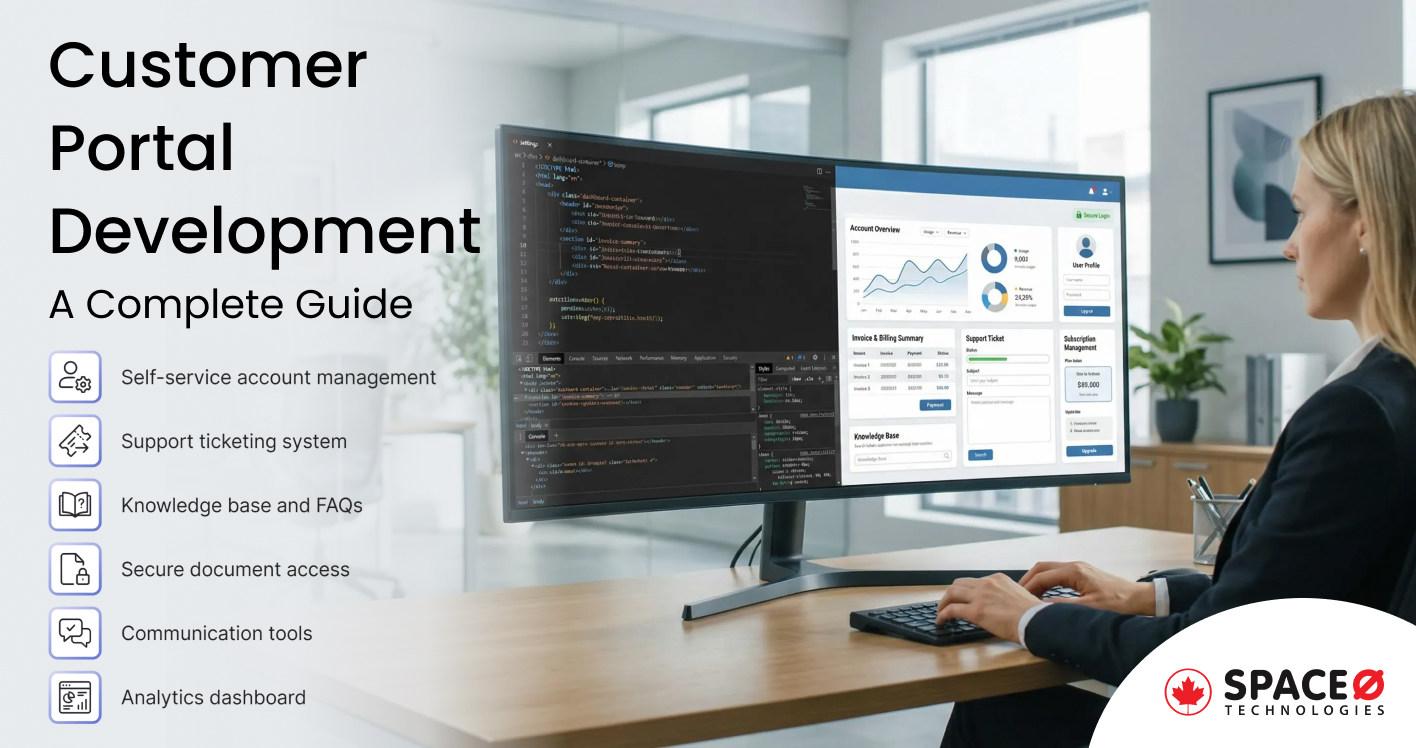
Are your support teams overwhelmed with repetitive customer inquiries? Do your clients struggle to access invoices, track orders, or find answers without calling your helpdesk? You’re facing the exact challenge that drives businesses toward customer portal development: the need to empower customers while reducing operational burden.
The demand for self-service solutions is no longer optional. According to Salesforce research, 61% of customers would prefer to use self-service to resolve simple issues. Businesses that ignore this shift risk losing customers to competitors who prioritize convenience.
Customer portals address this gap by providing a centralized platform where clients can manage accounts, access documents, submit requests, and find answers, all without waiting for human assistance.
Whether you’re a SaaS company looking to streamline client onboarding or an enterprise managing thousands of B2B relationships, understanding web portal development is essential for staying competitive.
This guide covers everything you need to know about customer portal development, from essential features and benefits to the development process and realistic cost expectations.
What is a Customer Portal?
A customer portal is a secure, web-based platform that provides clients with self-service access to their accounts, support resources, and business interactions. Instead of calling or emailing for every request, customers log into a personalized dashboard where they can manage subscriptions, view invoices, track orders, submit support tickets, and access important documents.
Think of it as a 24/7 digital front desk that never closes, never puts customers on hold, and handles routine tasks automatically. Many businesses need elements of both. Large organizations managing complex multi-department operations often require developing an enterprise portal to integrate all business systems into a unified platform.
Space-O Technologies has developed custom web portals that combine B2B depth with B2C usability, depending on client requirements.
With the fundamentals established, let’s examine the specific features that make customer portals effective. These capabilities determine whether your portal becomes essential to customers or just another login they forget.
What are the Key Features of a Customer Portal?
The features you include determine whether customers actually use your portal or continue calling your support team. Here are the essential capabilities every customer portal should offer.
1. Self-service account management
Customers should control their own account information without submitting support requests. This includes profile updates, password management, subscription changes, payment method modifications, and user access controls for B2B accounts. When customers handle these tasks independently, your support team stops fielding basic administrative requests and focuses on complex issues.
2. Support ticketing system
Even with comprehensive self-service options, customers need ways to reach your team for complex issues. An integrated ticketing system provides easy request submission with categorization, real-time status tracking, complete conversation history, file attachment capabilities, escalation workflows for urgent matters, and automated status notifications.
3. Knowledge base and FAQs
The best support ticket is one that never gets submitted. A robust knowledge base deflects routine inquiries through searchable FAQ databases, step-by-step tutorials, video walkthroughs for complex processes, and troubleshooting documentation. Research shows 61% of customers prefer self-service for routine tasks, reducing overall support volume significantly.
4. Secure document access
Customers frequently need access to important business documents without contacting support teams. Your portal should provide invoice and billing statement downloads, contract and agreement access, reports and analytics exports, policy documents, terms of service, and secure file sharing capabilities for sensitive materials requiring protection.
5. Communication tools
Multiple communication channels ensure customers can reach you through their preferred method conveniently. Essential features include live chat integration for real-time support, AI-powered chatbots for instant responses, in-portal messaging systems, customizable notification preferences across email, SMS, and push notifications, plus scheduled callback request options.
6. Analytics dashboard
Give customers complete visibility into their relationship with your business through comprehensive analytics. Essential dashboard features include order history and tracking, usage statistics and consumption data, spending summaries and detailed reports, service level metrics, and customizable widgets that display information most relevant to each user.
Create a Customer Portal Designed Around Real User Journeys
Space-O maps customer interactions and workflows before designing portals that feel intuitive, efficient, and easy to navigate.
These features form the foundation. Now, let’s explore why investing in customer portal development delivers measurable business returns.
What are the Benefits of Customer Portal Development?
Building a customer portal requires investment, but the returns justify the commitment. Here’s how businesses benefit from customer portal development.
1. Self-service portals dramatically cut support expenses
This is often the primary driver for customer portal adoption. When customers handle routine tasks independently, support teams focus on complex issues that actually require human expertise.
The numbers are compelling:
- Self-service interactions cost approximately $0.10 compared to $8-12 for phone support
- Organizations report up to 75% reduction in support ticket volume after portal implementation
- Fewer repetitive inquiries mean existing staff handle larger customer bases
For growing businesses, this scalability is essential. You can expand your customer base without proportionally increasing support headcount.
2. Customers get what they need without waiting
Modern customers don’t want to wait. They expect instant access to information and immediate resolution of simple issues.
Customer portals deliver:
- 24/7 availability regardless of business hours or time zones
- Immediate access to account information without hold times
- Consistent experience across all interactions
- Personalized dashboards based on individual preferences
Research shows that customers who receive personalized experiences are 49% more likely to become repeat buyers. Portals enable personalization at scale that would be impossible through manual service delivery.
3.Portals streamline operations beyond just support
Beyond support cost reduction, portals streamline multiple business processes:
- Automated workflows eliminate manual data entry
- Digital document delivery replaces printing and mailing
- Self-service updates maintain data accuracy without staff involvement
- Integrated systems reduce information silos between departments
When Space-O Technologies develops enterprise web solutions, portal integration with existing business systems is a key consideration for maximizing efficiency gains.
4.User behavior data drives smarter business decisions
Customer portals generate valuable behavioral data:
- Which features customers use most frequently
- Where users encounter friction or abandon processes
- What content customers search for but can’t find
- Peak usage times and patterns
- Feature requests and common complaints
This data informs product development, content strategy, and service improvements. You’re not guessing what customers need; you’re observing their actual behavior.
5. Your portal scales while costs stay flat
Traditional support models scale linearly: more customers require more staff. Customer portals break this pattern.
A well-designed portal serves 1,000 customers as easily as 100. The infrastructure costs increase marginally while the value delivered multiplies. For businesses planning growth, this scalability makes customer portals strategic investments rather than operational expenses.
Understanding the benefits clarifies why to invest. Now, let’s examine how customer portal development actually works from planning through launch.
What is the Process of Customer Portal Development: Step-by-Step Guide
Successful customer portal development follows a structured process. Here’s what to expect when working with an experienced development partner like Space-O Technologies.
Successful customer portal development follows a structured process that balances thorough planning with iterative delivery. Skipping steps or rushing phases typically leads to cost overruns, missed requirements, and portals that customers don’t actually use.
Here’s what to expect when working with an experienced development partner like Space-O Technologies.
Step 1: Map out business goals, user needs, and technical requirements
Every successful portal starts with thorough discovery. This phase typically consumes 2-4 weeks and establishes the foundation for everything that follows.
Discovery activities include:
- Stakeholder interviews: Understanding business objectives, success metrics, and constraints from executives, customer service leaders, IT teams, and other relevant parties
- Customer research: Identifying pain points, preferences, and behaviors through surveys, interviews, support ticket analysis, and usage data from existing systems
- Competitive analysis: Benchmarking against industry standards and competitor portals to identify baseline expectations and differentiation opportunities
- Technical assessment: Evaluating existing systems requiring integration, data sources, security requirements, and infrastructure constraints
- Feature prioritization: Ranking capabilities by business impact, customer value, and implementation complexity to define MVP scope versus future phases
The output is a detailed requirements document, technical specifications, and a project roadmap with realistic milestones. Rushing this phase inevitably leads to costly revisions during development or, worse, a portal that doesn’t address actual customer needs.
Step 2: Design interfaces that customers actually want to use
Portal adoption depends heavily on usability. Customers didn’t choose to use your portal, they want to accomplish tasks quickly and move on with their day. Design must remove friction, not add it.
Design activities include:
- User journey mapping: Documenting step-by-step paths for key workflows like submitting support tickets, updating account information, or accessing documents
- Information architecture: Organizing content, features, and navigation in ways that match customer mental models
- Wireframing: Creating low-fidelity layouts that establish structure before investing in visual design
- Visual design: Applying brand guidelines, color systems, typography, and visual hierarchy to create professional, trustworthy interfaces
- Interactive prototypes: Building clickable prototypes for stakeholder review and usability testing before development begins
- Usability testing: Observing representative users attempting common tasks to identify confusion points and improvement opportunities
The goal is intuitive navigation that requires minimal training. If customers need documentation to use your portal, the design needs refinement.
Step 3:Build the frontend, backend, and database architecture
With approved designs and clear specifications, development begins. Modern portal development typically follows agile methodology with 2-week sprints, regular demos, and continuous stakeholder feedback.
Development activities include:
- Frontend development: Building responsive user interfaces using modern web development frameworks like React, Angular, or Vue.js that work seamlessly across desktop, tablet, and mobile devices
- Backend development: Implementing business logic, data processing, and system integrations using robust web development technologies like Node.js, Python, .NET, or Laravel
- Database architecture: Designing secure, scalable data storage that handles current needs while accommodating future growth
- API development: Creating interfaces that connect the portal to CRM, ERP, payment systems, and other business applications
- Security implementation: Building authentication, authorization, encryption, and audit logging into the architecture from the start rather than bolting on later
Regular sprint reviews keep development aligned with expectations and allow for course corrections before small issues become expensive problems.
Step 4: Connect your portal to CRMs, ERPs, and payment systems
Customer portals rarely operate in isolation. Their value often depends on connecting seamlessly with other business systems to provide unified customer experiences.
Common integrations include:
- CRM systems: Salesforce, HubSpot, Dynamics 365, or other platforms that store customer relationship data
- ERP platforms: SAP, Oracle, NetSuite, or other systems managing financial and operational data
- Payment gateways: Stripe, PayPal, Moneris, or other processors for subscription billing and payment management
- Communication tools: Email services, SMS providers, and chat platforms for notifications and conversations
- Analytics platforms: Google Analytics, Mixpanel, or custom analytics for usage tracking and reporting
- Single Sign-On providers: Okta, Auth0, or enterprise identity systems for seamless authentication
- Help desk systems: Zendesk, Freshdesk, or Intercom for support ticket management
Integration complexity significantly impacts both timeline and cost. Connecting to well-documented modern APIs is straightforward; integrating with legacy systems lacking standard interfaces requires substantially more effort. Experienced web development teams like Space-O Technologies plan for these requirements early in the project to avoid surprises.
Step 5: Run security, performance, and cross-device testing
Thorough testing prevents embarrassing post-launch issues and protects customer data. Testing should happen throughout development, not just at the end.
Testing activities include:
- Functional testing: Verifying every feature works as specified across all user scenarios and edge cases
- Security testing: Vulnerability assessment, penetration testing, and security code review to identify and remediate risks
- Performance testing: Load testing under expected and peak traffic conditions to ensure a responsive experience at scale
- Cross-browser testing: Confirming consistent functionality across Chrome, Safari, Firefox, Edge, and other browsers customers use
- Mobile and device testing: Validating responsive design across various screen sizes, operating systems, and device types
- Accessibility testing: Ensuring compliance with WCAG guidelines for users with disabilities
- User acceptance testing: Final validation with stakeholder groups before production deployment
Step 6: Deploy with phased rollout and post-launch monitoring
Launch is a carefully orchestrated process, not simply flipping a switch. Proper deployment planning prevents downtime and ensures smooth customer transitions.
Launch activities include:
- Production environment setup: Configuring hosting infrastructure, security settings, monitoring tools, and backup systems
- Data migration: Transferring customer data from existing systems with verification and rollback capabilities
- User training: Preparing internal teams to support the new portal and answer customer questions
- Customer communication: Announcing the portal, providing access instructions, and highlighting key benefits
- Phased rollout: Optionally launching to a subset of customers first to identify issues before full deployment
- Post-launch monitoring: Intensive observation of system performance, error rates, and user behavior during the critical first days
Step 7: Keep your portal secure, fast, and up to date
Portal development doesn’t end at launch. Successful portals require ongoing attention to remain secure, performant, and valuable.
Ongoing maintenance includes:
- Bug fixes: Addressing issues discovered through monitoring or customer reports
- Security patches: Applying updates to frameworks, libraries, and infrastructure to address newly discovered vulnerabilities
- Performance optimization: Tuning database queries, caching strategies, and infrastructure as usage patterns emerge
- Feature enhancements: Adding capabilities based on customer feedback and evolving business needs
- System updates: Maintaining compatibility as browsers, operating systems, and integrated systems evolve
Space-O Technologies provides 3 months of free maintenance after launch, ensuring smooth operation during the critical adoption period when issues most commonly surface.
For a deeper understanding of development costs across different project types, explore our guide on web application development cost.
Replace Fragmented Customer Touchpoints With a Unified Portal
Space-O helps businesses consolidate support, communication, and transactions into a single, centralized customer portal.
The development process determines quality, but the budget determines feasibility. Let’s examine realistic cost expectations for customer portal development.
How Much Does Customer Portal Development Cost?
Cost is often the first question businesses ask about customer portal development. While every project is unique, understanding the factors that drive pricing helps set realistic expectations.
1. Customer Portal Development Cost Breakdown
Here’s what businesses typically invest based on portal complexity:
| Portal Type | Features | Timeline | Cost Range (CAD) |
|---|---|---|---|
| Basic | Account management, document access, basic support ticketing, knowledge base | 2-3 months | $25,000 – $50,000 |
| Medium | All basic features + CRM integration, advanced ticketing, live chat, analytics dashboard | 3-5 months | $50,000 – $100,000 |
| Advanced | All medium features + AI chatbot, multiple integrations, custom workflows, mobile app | 5-8 months | $100,000 – $200,000 |
| Enterprise | Full-featured with complex integrations, advanced security, multi-tenant architecture, custom reporting | 8-12 months | $200,000 – $350,000+ |
2. Factors Affecting Customer Portal Development Cost
Several variables determine your investment:
Complexity and Feature Scope
A basic portal with account management and document access costs significantly less than an enterprise platform with AI chatbots, advanced analytics, and complex workflow automation.
Design Requirements
Custom UI/UX design requires more investment than template-based approaches. For customer-facing portals, design quality directly impacts adoption, cutting corners here often proves counterproductive.
Integration Requirements
Each third-party integration adds development time. Connecting to legacy systems with limited API support is particularly challenging and costly.
Security and Compliance
Industries with regulatory requirements (healthcare, finance, government) need additional security measures that increase development costs.
Scalability Requirements
Portals designed for enterprise-scale traffic require more robust architecture than solutions for smaller user bases.
3. Cost Comparison: Custom Development vs. Platform-Based Solutions
Some businesses consider off-the-shelf portal platforms. Here’s how they compare:
| Approach | Pros | Cons | Best For |
|---|---|---|---|
| Custom Development | Full control, tailored features, competitive differentiation, no licensing fees | Higher upfront cost, longer timeline | Businesses with unique requirements, long-term investment focus |
| Platform-Based | Faster deployment, lower initial cost, built-in features | Monthly licensing fees, limited customization, vendor dependency | Quick launches, standard requirements, budget constraints |
For most businesses planning to scale, custom development delivers better long-term value despite higher initial investment. The cost of web portal development depends heavily on whether you’re building for today’s needs or tomorrow’s growth.
Want a quick estimate for your specific requirements? Use our App Cost Calculator for an instant ballpark figure.
Cost considerations vary by industry; let’s explore which sectors gain the most value from customer portal investments.
What are the Industries That Benefit from Customer Portals?
While customer portals benefit virtually any business with ongoing client relationships, certain industries see particularly strong returns.
1. Healthcare
Patient portals have become essential in modern healthcare delivery:
- Appointment scheduling and management
- Access to medical records and test results
- Prescription refill requests
- Telehealth integration for virtual consultations
- Secure messaging with healthcare providers
- Insurance and billing information
PIPEDA compliance is mandatory, requiring specialized security measures. Space-O Technologies has experience building healthcare web development solutions that meet regulatory requirements while delivering excellent patient portal experiences.
2. Financial Services
Banks, insurance companies, and investment firms rely heavily on customer portals:
- Account balances and transaction history
- Statement and document access
- Fund transfers and payments
- Policy management and claims submission
- Investment portfolio tracking
- Secure document exchange
Security is paramount, with requirements for multi-factor authentication, encryption, and audit trails.
3. SaaS Companies
Software companies use customer portals to reduce churn and improve product adoption:
- Subscription and billing management
- Usage analytics and consumption tracking
- API key management and documentation
- Support ticket submission and tracking
- Onboarding checklists and training resources
- Feature requests and feedback submission
4. Logistics and Supply Chain
Shipping and logistics companies provide visibility through customer portals:
- Real-time shipment tracking
- Delivery scheduling and preferences
- Proof of delivery access
- Invoice and payment management
- Rate quotes and booking
- Claims submission for damaged shipments
5. Professional Services
Law firms, consulting agencies, and accounting firms use portals for client collaboration. These enterprise web development projects typically require secure document handling and compliance features unique to professional services. Many of these firms also invest in developing employee portals to manage internal HR workflows alongside client-facing capabilities.
- Project status dashboards
- Document sharing and approval workflows
- Time tracking and billing transparency
- Meeting scheduling
- Secure communication channels
Industry requirements shape feature priorities, but technology trends shape what’s possible. Let’s examine what’s emerging in customer portal development.
What are the Technology Trends in Customer Portal Development?
Customer expectations evolve continuously. Staying competitive means incorporating emerging technologies that enhance portal capabilities.
1. AI-powered chatbots
Artificial intelligence transforms customer self-service with 24/7 instant responses, natural language understanding, and intelligent routing to human agents when needed. These AI capabilities represent one of the most impactful web development project ideas for portal innovation.
2. Personalization at scale
Generic experiences no longer satisfy modern customers expecting tailored interactions. Portals deliver dynamic dashboards, personalized content recommendations, customized notifications, and adaptive interfaces. Customers receiving personalized experiences show 49% higher likelihood of repeat purchases, directly impacting business revenue.
3. Enhanced security measures
Security threats evolve constantly, requiring continuous improvement in protection measures. Modern portals implement biometric authentication, behavioral analytics detecting unusual activity, zero-trust architecture principles, advanced encryption, and automated compliance with GDPR, CCPA, and PIPEDA regulations for comprehensive data protection.
4. Omnichannel integration
Customers expect seamless experiences across all touchpoints without disruption. This requires consistent data across web and mobile channels, conversation continuity when switching between platforms, unified customer profiles accessible everywhere, and social media integration for support and communication channels.
5. Voice-based self-service
Voice interfaces are expanding beyond smart speakers into customer portal experiences. Features include voice commands for portal navigation, voice-activated search within knowledge bases, hands-free access to account information, and voice authentication providing secure yet convenient access for users.
6. Low-code customization
Empowering business users to modify portal experiences without developer involvement accelerates innovation. Features include drag-and-drop workflow builders, configurable dashboards, business user-managed content updates, and rapid iteration capabilities enabling quick feature adjustments based on customer feedback.
These trends represent opportunities; implementing them effectively requires experienced development partners who understand both the technology and your business context.
Build a Customer Portal Aligned With Business Operations
Space-O works closely with internal teams to ensure the portal reflects real operational processes, not just ideal workflows.
Build a Secure Customer Portal with Space-O Technologies
Customer portal development has evolved from a nice-to-have feature to a business necessity. With 88% of customers expecting self-service options and 81% preferring to handle issues independently, businesses without customer portals risk falling behind competitors who prioritize digital convenience.
Success depends on choosing the right development partner, one who understands both the technical requirements and your specific business context. Space-O Technologies, a Canada-based web development company, has years of experience in web portal development, having served 100+ clients worldwide with custom solutions tailored to their unique needs.
Our team of expert developers handles the complete portal development process, from requirement analysis and UI/UX design through development, testing, deployment, and beyond.
We work with modern frameworks like React, Angular, Node.js, and Laravel to build portals that integrate seamlessly with your existing CRMs, ERPs, and payment systems, all with transparent pricing and realistic timelines.
Plus, we provide 3 months of free post-launch maintenance to ensure smooth adoption.
Ready to transform your customer experience with a custom portal solution? for a free consultation. Our team will assess your requirements, recommend the right approach, and provide a detailed proposal with clear cost and timeline expectations.
Frequently Asked Questions about Customer Portal Development
How much does it cost to build a customer portal?
Customer portal development costs range from $25,000 CAD for basic portals to $350,000+ CAD for enterprise solutions. The primary cost factors include feature complexity, design requirements, third-party integrations, security needs, and scalability requirements. Most mid-sized businesses invest between $50,000 and $150,000 CAD for portals with comprehensive features and CRM integration.
How long does customer portal development take?
Development timelines typically range from 2-3 months for basic portals to 8-12 months for complex enterprise solutions. A medium-complexity portal with standard features and a few integrations usually takes 3-5 months. Factors affecting the timeline include feature scope, integration complexity, design requirements, and testing needs.
Can a customer portal integrate with existing systems?
Yes, customer portals can integrate with virtually any business system through APIs. Common integrations include CRM platforms (Salesforce, HubSpot), ERP systems (SAP, NetSuite), payment gateways (Stripe, PayPal), communication tools, and analytics platforms. Integration complexity affects both cost and timeline, so it’s important to identify integration requirements early in the planning process.
What security measures are needed for a customer portal?
Customer portals require multiple security layers, including SSL encryption, secure authentication (preferably multi-factor), role-based access controls, data encryption at rest and in transit, regular security audits, and compliance with relevant regulations (GDPR, CCPA, PIPEDA, HIPAA, depending on industry). Working with experienced web developers ensures security is built into the architecture rather than added as an afterthought.


 All our projects are secured by NDA
100% Secure. Zero Spam
*All your data will remain strictly confidential.
Trusted by


Bashar Anabtawi 
Canada
“I was mostly happy with the high level of experience and professionalism of the various teams that worked on my project. Not only they clearly understood my exact technical requirements but even suggested better ways in doing them. The Communication tools that were used were excellent and easy. And finally and most importantly, the interaction, follow up and support from the top management was great. Space-O not delivered a high quality product but exceeded my expectations! I would definitely hire them again for future jobs!”

Canada Office
2 County Court Blvd., Suite 400,
Brampton, Ontario L6W 3W8
Phone: +1 (602) 737-0187
Email: sales@spaceo.ca